Skip to content
 EN
EN  DE
DE  العربية



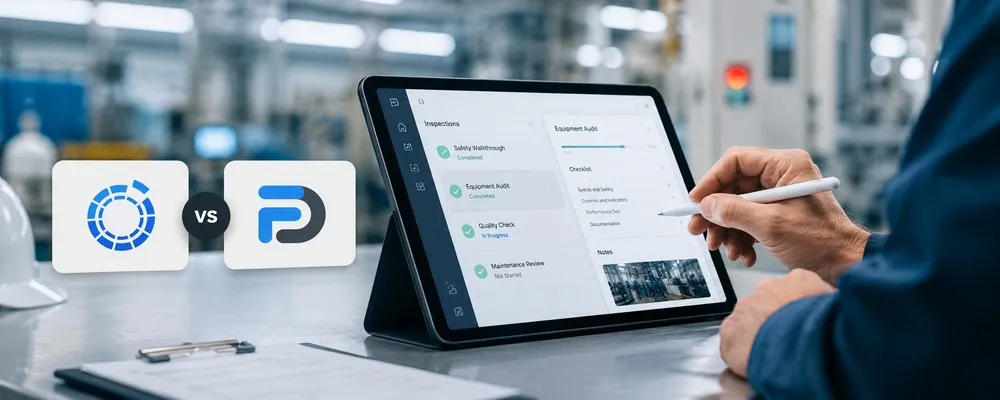
Summary: Companies looking to digitize their processes face a dilemma: Is a flexible no-code app builder sufficient, or is a specialized platform for inspections, audits, quality processes, and action tracking required? This question determines the choice between smapOne and flowdit. SmapOne is known as a no-code platform. Teams can use it to create their own apps, forms, and digital checklists without having to program themselves – which is particularly useful when many different use cases need to be digitized quickly. flowdit takes a different approach; it is not a general-purpose app builder, but rather an operational solution for digital inspections, audits, quality processes, corrective actions, and reports. Rather than building individual apps, the focus is on the structured execution, documentation, and tracking of recurring processes. This is relevant for quality managers, maintenance managers, and safety officers in industrial companies with multiple locations. This comparison shows when smapOne makes sense, when flowdit is a better fit, and what companies should consider before deciding on a solution.
App Builder or Inspection Process: The Key Difference
Many comparisons between smapOne and alternatives focus on individual features such as forms, photos, or mobile data collection. While these points are relevant, they don’t go far enough when it comes to industrial inspections, audits, or quality processes.
The real difference lies in the objective. smapOne is primarily suited for specialized departments that want to create their own digital apps and forms. flowdit is better suited for situations where inspections need to be scheduled on a recurring basis, executed properly, documented, and tracked
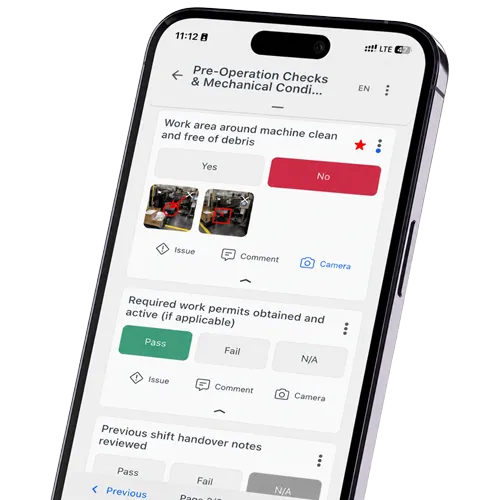
A real-world example: A digital form for a machine inspection can be created quickly. However, if a defect is detected, a single form field is no longer sufficient. That’s when you need to define responsibilities, priorities, deadlines, photos, comments, status changes, action tracking, and, ultimately, an auditable report.
This is precisely where the difference between mobile data collection and true process control becomes apparent
Still using rigid checklists on the road?
flowdit organizes audits, inspections, and corrective actions into a clear digital workflow.
flowdit vs. smapOne: Which Solution Fits Your Process?
The decision doesn’t depend on which software is “better.” What matters is which problem needs to be solved.
smapOne is a better fit if:
- different departments need to build their own apps
- the focus is on no-code
- many different forms need to be digitized
- rapid app development is more important than deep process logic
- small operational applications need to be developed flexibly
- Citizen Development is a strategic priority
flowdit is a better fit if:
- Inspections and audits take place regularly
- Checklists need to be standardized
- Deficiencies and corrective actions need to be tracked
- Reports need to be generated automatically and in a traceable manner
- Teams also need to conduct checks offline
- Quality, maintenance, or security processes need to be integrated
- Multiple locations need to operate consistently
- Auditability and documentation are important
Use Cases Where flowdit Fits Best
flowdit is a suitable alternative to SmapOne when inspections and operational controls need to be digitally recorded and effectively managed.
Typical use cases include:
- Digital quality inspections
- Internal audits
- EHS audits
- Maintenance checklists
- Machine inspections
- Acceptance processes
- Commissioning
- Photo documentation
- Defect tracking
- Action tracking
- Safety inspections
- Supplier audits
- Cross-site audit programs
The common thread is always the same: there is a recurring process, clear documentation requirements, and high expectations for reliability.
Use Cases Where smapOne May Still Fit
smapOne remains a viable option when companies are looking for a flexible no-code platform and want to digitize many different small processes.
Examples include:
- Simple forms
- Internal queries
- Documentation apps
- Small departmental solutions
- Rapid prototyping
- Simple checklists
- Temporary process solutions
- Data collection without complex tracking
smapOne is particularly effective when speed and departmental autonomy are more important than a highly specialized validation process.
flowdit vs. smapOne: A Practical Comparison
| Criterion | flowdit | smapOne |
|---|---|---|
| Positioning | Connected Worker Platform for digital checklists, inspections, maintenance, audits & EHS - across all industries, from SMEs to large corporations | No-code platform for operational process digitization. Business units can create their own apps, known as “smaps,” using AI prompts, drag-and-drop, or templates—without any programming. |
| Features |
|
|
| Offline Capability | Full offline operation on iOS, Android, and Windows. Inspections and audits can be conducted without an internet connection; data is stored locally and automatically synchronized when a connection is established. | Data is temporarily stored offline in smapOne and automatically uploaded once a connection is reestablished. |
| Multilingual Support |
|
|
| AI & Document Migration |
|
|
| Media & Data Entry |
|
|
| Traceability |
|
|
| Quality & Audits |
|
|
| Security & Hosting |
|
|
| Deployment Model |
|
|
| Integrations |
|
|
| Onboarding & Support |
|
|
| Pricing model |
|
|
A Short Overview of flowdit and smapOne
 flowdit
flowdit is software for digital inspections, audits, checklists, work instructions, and action tracking in production, quality, maintenance, EHS, and technical service.
The main difference lies in the process approach. flowdit supports the entire workflow from the planned inspection to the final report: assigning tasks, performing inspection steps, recording evidence, documenting nonconformities, deriving corrective actions, and tracking responsibilities.
This makes flowdit particularly well-suited for companies where inspections must be conducted regularly, in a traceable manner, and with reliable documentation.
 smapOne
smapOne is a no-code platform for creating custom business apps: forms, checklists, reports, and operational applications without traditional software development.
smapOne involves business departments in the digitization of their own processes. Applications can be created using pre-built building blocks, deployed, and used in live operations. This is particularly useful when paper forms, Excel spreadsheets, or individual PDF templates need to be quickly converted into mobile applications.
smapOne is ideal for companies that want to flexibly digitize many different processes using no-code. However, if the focus is more on industrial inspection procedures, audit-ready documentation, action tracking, and structured quality processes, flowdit offers a more specialized approach.
What Defines a Strong smapOne Alternative
An alternative to smapOne should not only offer similar features but also fit your actual process. Before choosing between smapOne, flowdit, or another solution, it helps to honestly answer a few questions:
- Are you dealing with individual forms and simple digitization, or with recurring audits and critical process control?
- How many locations need to be integrated and operate uniformly?
- To what extent do processes need to be standardized?
- Who creates and maintains the templates, and who approves them?
- How important is offline access during audits?
- How are deviations, defects, and corrective actions documented and tracked?
- What reports are needed on a regular basis, and do they need to be audit-ready?
- What data will need to be analyzed later?
- How much manual rework is currently required?
- Which systems should be integrated?
These questions are more important than a simple list of features. If you answer them thoroughly, you’ll quickly realize whether a no-code app builder is sufficient or if a specialized exam platform is a better fit for your day-to-day work.
Still managing operations with paper and Excel?
Digitize inspections, audits, SOPs, and corrective actions.
Common Misconceptions in smapOne Alternative Comparisons
❗ Misconception 1: Every digital checklist is automatically an audit system
That’s not true. A digital checklist can be a good start. However, audits require more: version control, evidence, accountability, corrective actions, reports, and clear evaluability.
❗ Misconception 2: No-code automatically means less effort
No-code reduces the effort required for technical development. However, the business-related effort remains. Processes must be properly modeled, maintained, and monitored.
❗ Misconception 3: More flexibility is always better
Flexibility is valuable. But with recurring audit processes, too much freedom can also lead to inconsistent results. Standardization is often more important for quality and compliance.
❗ Misconception 4: Reports are just an export
A good report is more than just a PDF. It must show what was tested, what was found, who is responsible, what evidence is available, and what the next steps are.
Which smapOne Alternative Fits Your Process?
The answer isn’t found in the list of providers, but in a single indicator: How many times does a piece of information pass through a second set of hands after it’s been entered? With a simple form app, the answer is usually zero to one. The form is filled out - done. In audit processes involving deficiencies, deadlines, and multiple responsible parties, the number is almost always three or more: the person who enters the data, the person responsible for the corrective action, and the person who approves the report. Each of these handoffs (which today still happen via email, Excel columns, or verbal communication) is a sign that a no-code builder is reaching its limits, regardless of how well the individual app is built.
A second indicator: Anyone who can provide audit evidence within minutes, rather than compiling it from multiple sources, is already working with a solution built for compliance requirements. Anyone who first has to filter an export file, open a second app, and manually merge the two is working with a solution built for data collection.
Does your current process hold up during audits with several participants and tight deadlines?
What to Clarify Before Switching Solutions
Before switching platforms, it’s worth taking stock of your current processes: Which use cases involve simple forms with no follow-up process, and which ones involve defects, deadlines, or multiple responsible parties? This assessment shows which processes would benefit from a specialized review platform like flowdit and which can remain unchanged.
When switching platforms, a three-step approach is recommended: Transfer templates and checkpoints; replicate existing responsibilities and escalation rules in the action module; and run a pilot process in parallel with the existing solution. Running the processes in parallel shows whether reports, deadlines, and supporting documentation are fully captured in the new process before the final migration takes place.
FAQ | flowdit vs. smapOne
What is smapOne?
smapOne is a no-code platform that enables companies to create their own apps, forms, and digital checklists without needing any programming knowledge. Business units can use it to independently digitize operational processes such as protocols, data collection, or simple approval workflows.
What is flowdit?
flowdit is a platform for digital inspections, audits, maintenance, and quality processes. Unlike a general app builder, flowdit combines inspections, nonconformance tracking, corrective action tracking, and audit-ready reports into a single, end-to-end process.
Is flowdit just checklist software?
No. Checklists are an important part of the process, but flowdit goes beyond that. The platform links inspections with photos, comments, nonconformities, corrective actions, responsibilities, deadlines, and reports. This creates a complete process rather than just a digital form.
Is flowdit a form app?
flowdit can digitally replicate forms and checklists, but it goes beyond a traditional form app. The platform combines mobile data collection with actions, inspection logs, reports, and analyses. This makes it particularly well-suited for processes where traceability is important.
Is flowdit suitable for offline exams?
Yes. flowdit is designed for mobile inspections in the field, at facilities, in production areas, and at locations with weak connections. Inspections can be performed offline and synchronized later. This is an important advantage when processes do not take place at a desk.
What can flowdit do that a traditional no-code app builder like smapOne can’t?
- Issues instead of just forms: Deviations are tracked directly as defects with status, risk, deadline, and assigned person.
- Audit trail instead of data collection: Photos, timestamps, signatures, and changes are documented in a traceable manner.
- Inspection objects instead of individual lists: Checklists can be linked to machines, equipment, locations, or assets.
- Corrective actions instead of follow-up via email: Corrections are managed directly from within the inspection.
- Offline instead of requiring a connection: Inspections work even in production halls, plant areas, or outdoor locations without a stable connection.
- Analysis instead of PDF archiving: Results, risks, and open items are visible across locations and inspection types.
In short: smapOne primarily digitizes data entry. flowdit then manages the inspection process.
What risks arise when companies treat digital checklists as nothing more than simple forms?
While this does digitize the paperwork, the process often remains incomplete. Unresolved issues get buried in lists, responsibilities are unclear, documentation is scattered, and analyses can only be generated through manual follow-up work.
Why is a no-code form often not enough when audits, deficiencies, and corrective actions are interrelated?
Since an audit does more than just collect data – it triggers decisions and follow-up actions. As soon as a nonconformity results in a corrective action with a deadline, a responsible party, status, risk, photographic evidence, and proof of completion, the process requires its own logic. A form represents the audit point; an audit workflow controls what must happen next.
Which solution is better for quality inspections?
For simple quality checklists, smapOne may be sufficient. However, when quality checks involve nonconformities, photos, responsibilities, deadlines, and reports, flowdit offers a more robust process-oriented approach. A clear structure is especially crucial for recurring checks.
Which solution is better for multiple locations?
flowdit is particularly useful for organizations with multiple locations when inspection standards, templates, results, and corrective actions need to be managed consistently. What matters most is not just the mobile app, but how consistently the processes are managed across all locations.