 Skip to content
 EN
EN  DE
DE  العربية



-
Incident Reporting Software
360° Insights with flowdit Analytics
See what’s happening in field and at 50,000 feet with our all-seeing analytics software - sorted by location, time, department and much, much more. flowdit, get Incident Report:
- Centralized access for better control
- Easily monitor inspections, audits and progress
- Boost efficiency, slash risk, and elevate safety
No card required
Go live within a few hours







Chosen by the Teams That Keep Operations Running








Custom Reports Designed For Both You & Clients
Tailor-made, scheduled reports to provide critical information exactly when you need it internally. And wow your clients when shared externally.
- Customize with your brand image
- Custom reporting, auto-scheduled
- Anytime, anywhere, any device


360° Alerts & Actions Audit Trends & Insights
Discover the power of full-spectrum auditing and Incident Report with smart scheduling, instant alerts, and auto-corrective actions. User friendly platform with advanced capabilities.
- Seamless auditing processes
- Rapid risk alerts response
- Automatic notifications
Spot problems before they escalate

Real-Time Insights On Emerging Trends & Risks
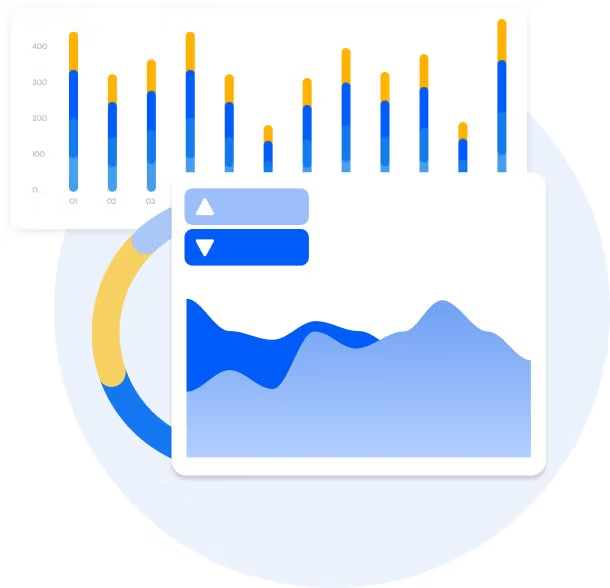
Pinpoint opportunities, detect common slip-ups. And rev up your business operations with instant business analytics via your customized dashboard.
- Monitor KPIs, act swiftly
- Spot trends, bust obstacles
- Boost safety, prevent hazards
Unlock the ultimate inspection toolbox -
Get Started Now!
All Device Access
Collaborative Approach
No-Code Form Builder
Multi-Language Forms
Secure Cloud Storage
Sensors and IoT
Transform Your Incident Reporting Process with flowdit
Stop managing incidents. Start preventing them
Capture incidents at the point of occurrence, conduct root cause analyses and track corrective actions to verified closure - flowdit structures incident management across EHS and operational teams with full traceability.
No card required
Go live within a few hours

FAQ | Digital Inspection Reports
What are digital inspection reports?
Digital inspection reports are structured reports created during inspections using digital devices instead of paper forms. They capture important information such as inspection results, observations, photos, and notes in a consistent and traceable format. They provide critical information for internal and external use.
How can I customize digital inspection reports?
Digital inspection reports can be customized by adapting the inspection templates to match your processes, equipment, or safety requirements. Users can add specific checklist items, sections, photos, brand-images, notes, and required fields to capture the exact information needed during inspections.
What is the purpose of incident reports?
Incident reports document unexpected events such as safety incidents, near misses, equipment failures, or process disruptions in industrial operations. They help organizations analyze root causes, improve safety procedures, and prevent similar incidents in the future. With digital tools like flowdit, incident reports can be captured directly on site, making reporting faster, more structured, and easier to analyze.
How can I access digital inspection reports?
Digital inspection reports can be accessed through a centralized digital platform where all reports are stored and organized. Authorized users can view them from a desktop computer, tablet, or smartphone, depending on their role and permissions.
What are the benefits of using digital inspection reports?
Faster documentation of inspections directly on mobile devices
Reduced errors compared to paper-based inspection reports
Ability to attach photos, notes, timestamps, and locations
Centralized storage of all inspection reports
Real-time access for supervisors and management
Easier tracking of recurring issues and defects
Better transparency across teams and departments
Simplified compliance and audit documentation
Faster response to detected problems or deviations
Data insights that support continuous process improvement
How can I schedule digital inspection reports?
Define the inspection checklist and reporting template in the system
Set the inspection frequency such as daily, weekly, monthly, or based on specific intervals
Assign the inspection task to responsible team members or departments
Schedule automatic reminders so inspections are not missed
Use recurring schedules for routine inspections of equipment, processes, or facilities
What information do digital inspection reports provide?
Date and time of the inspection
Location, asset, or process being inspected
Name of the inspector or responsible employee
Checklist results and inspection findings
Identified defects, risks, or non-conformities
Photos, notes, and supporting documentation
Status of corrective or follow up actions
Digital signatures and approval records
Complete inspection history for tracking and analysis
Can I share digital inspection reports with others?
Yes, digital inspection reports can easily be shared with colleagues, supervisors, or external partners. Reports can be exported or sent as secure links or PDF documents, enabling others to review the results without delay. This improves collaboration and ensures that important inspection findings are quickly communicated to the relevant stakeholders.