 Skip to content
 EN
EN  DE
DE  العربية



-
Construction Inspection Software for Managing Construction Forms
Seamless Oversight for Every Construction Project
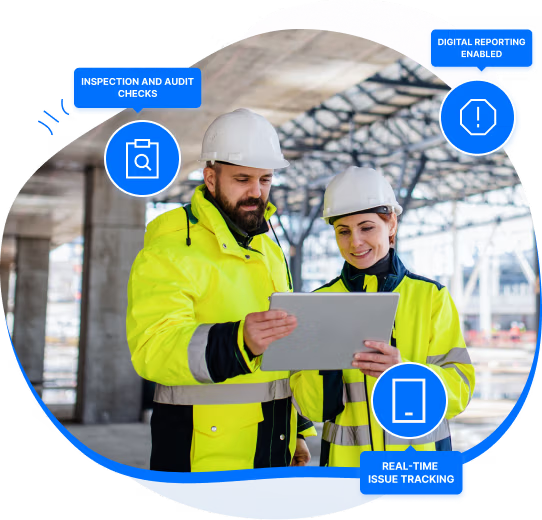
Simplify inspections, safety, and construction forms management throughout your project sites and portfolio: uphold stringent standards with our advanced construction inspection and forms software.
No card required
Up and running in 5 mins






Chosen by the Teams That Keep Operations Running








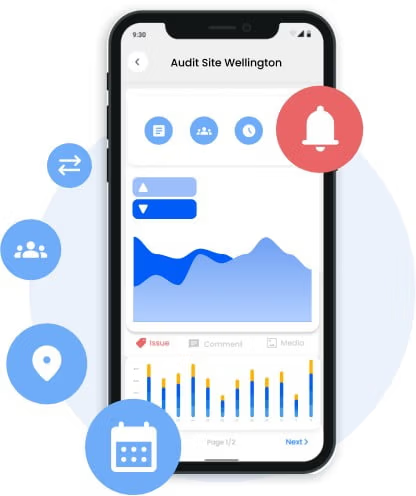
360° Alerts, Audits and Insights for your Construction Site
Unleash the power of full-circle auditing with our construction inspection software and a detailed construction inspection list. Optimize your processes with smart scheduling, instant alerts, and automated corrective actions through a user-friendly platform.
- Seamless auditing processes
- Rapid risk alerts response
- Automated notifications, maintaining high safety standards
Spot problems before they escalate
Empower Your Workers with Offline Availability
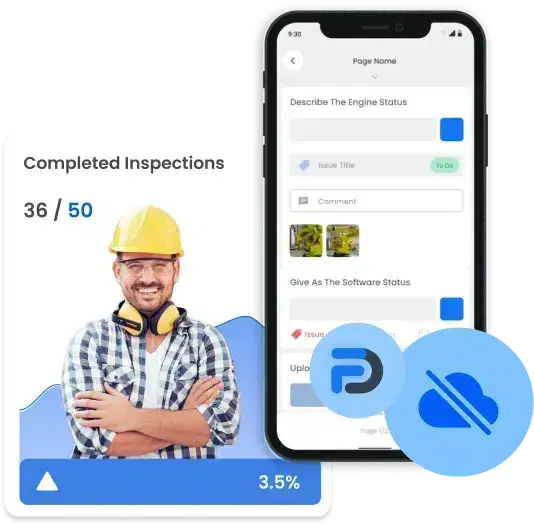
Arm your workers with our cloud-based construction site inspection software, enabling seamless data collection in remote sites, even without internet. Promote efficiency and accuracy, anytime, anywhere.
- Real-time synchronization once back online
- Compatibility across all devices for maximum flexibility
- Never miss a detail, even in the remotest construction site
Unlock the ultimative inspection toolbox -
Get Started Now!
All Device Access
Collaborative Approach
No-Code Form Builder
Multi-Language Forms
Secure Cloud Storage
Sensors and IoT
The ultimate solution for any team
Get started now with out-of-the-box solutions.
Easily customize flowdit as your team's needs evolve!

PMP Service GmbH
CEO
"With flowdit, PMP GmbH has successfully implemented its own assessment process in the marine industry. flowdit contributes significantly to the optimization of our processes and services."

EG Group
Public Affairs & Corporate Services Manager
"flowdit represents significant progress in the EG Group's compliance management and is an indispensable pillar of our strategy to digitalize and increase efficiency."

Schuler Pressen GmbH
Technical Sales Engineer Digital Solutions
"Dramatically maintain clicks-and-mortar solutions without functional solutions. Completely synergize resource taxing relationships via premier niche markets. Professionally cultivate."
Built for the Field, Designed for Precision - flowdit
Construction Inspections without Paper Chaos
Replace paper punch lists with structured digital inspections, assign defects and track remediation in our all-in-one construction project management platform - flowdit supports inspection workflows across sites and contractors.
No card required
Up and running in 5 mins


FAQ | Construction Inspection Software
What is construction inspection software?
Construction inspection software (CIS) is a digital tool that supports construction teams in capturing, tracking, and managing data across construction sites. It replaces paper-based checklists with digital forms, allows data to be entered directly on-site, and generates reports that can be shared without delay. Inspectors can share and document inspection findings, attach images, annotate issues, and assign follow-up tasks. All data is stored in a central platform, giving project managers consistent access to current inspection results that construction professionals use to perform site safety walkthroughs.
What key features should I look for in CIS?
Customizable Inspection Templates: Pre-built checklists for structural, electrical, and safety trades, that can be easily tailored to meet your project standards,
Mobile Inspections (Offline Capable): iOS/Android applications that function without an internet connection and automatically sync upon reconnection, making inspections possible in remote locations
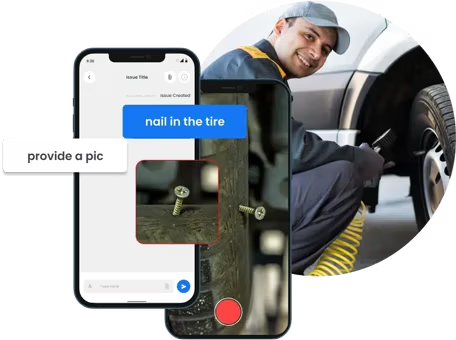
Issue Reporting: Document defects and non-conformances at the location with automated updates, and generate inspection reports in PDF or Excel
Automated Workflows: Initiate follow-up actions according to inspection outcomes
Audit Trails: Preserve a history of inspections to ensure total accountability and transparency
- Site Safety Report Templates: Pre-prepared safety report templates for consistent, standardized reporting on any site
What are the benefits of construction inspection software?
By automating inspection processes, the system enables faster data collection and report creation, significantly increasing productivity. At the same time, workflow management is optimized through better structuring and alignment of tasks, resulting in more effective project implementation. With real-time data, progress can be tracked with accuracy and problems can be addressed more swiftly, enabling better task tracking overall. In addition, CIS supports risk control by detecting risks and deviations early on, enabling timely corrective actions to be taken and potential problems to be reduced.
How do i create and manage construction inspection checklists?
Start with an existing template or build a digital checklist from scratch based on the specific requirements of your project, whether for safety, quality, or compliance purposes. Individual inspection points can be added and configured to support data entry, image attachments, and annotations directly on-site. Inspection forms can be customized to suit different types of inspections.
Once the checklist is set up, it can be assigned to the relevant team members with defined deadlines or completion reminders. The software tracks progress automatically, keeps inspection data consistent across devices, and produces reports once inspections are completed. Any issues identified during the process can be flagged and followed up on without leaving the platform.
How does flowdit assist with quality control inspections?
Our all-in-one construction inspection app & software flowdit facilitates quality control inspections through the digitization of checklists and the provision of real-time data capture on mobile devices, thereby guaranteeing consistent adherence to all quality standards.
Defects can be easily recorded by inspectors, along with attached photos and annotated issues, streamlining the process of identification and resolution. Field teams have immediate access to real-time inspection data, ensuring quicker responses to safety and compliance issues.
Additionally, the site inspection software automates the creation of reports, offering detailed insights and analytics for monitoring quality metrics over time. flowdit assists in upholding high-quality standards and minimizing the chances of mistakes and setbacks by centralizing data and enhancing inter-team communication.
How does flowdit improve construction safety inspections?
flowdit enhances the safety inspections of construction sites through the digitization of checklists, automation of workflows, and provision of real-time data access. It enables safety inspectors to identify and mark issues on mobile devices, ensuring prompt reporting and faster corrective measures.
The inspection platform keeps track of adherence to safety regulations automatically, offers audit trails, and generates detailed reports for analysis and record-keeping. flowdit enhances overall site safety and minimizes the risk of overlooked safety hazards by streamlining inspections and guaranteeing real-time updates.
How does flowdit improve safety on construction sites?
flowdit’s site inspection software helps teams track inspections and identify hazards systematically across job sites. Safety violations can be logged and assigned within the platform, so corrective actions are followed up on without delay.
Regulatory requirements are accessible directly in the system, which reduces the need to consult separate documentation. The software produces audit-ready reports and keeps all safety records in one place, making compliance documentation more manageable. Automated alerts notify the responsible personnel when issues require attention.
Can you use construction inspection software offline?
Yes, most construction inspection software works without an active internet connection. Inspectors can complete checklists, capture images, and record findings on-site regardless of connectivity. Once the device reconnects, all data syncs automatically to the central system. This makes the software suitable for remote job sites or areas with unreliable network coverage.
How much does construction inspection software typically cost?
Pricing varies depending on the features included and the scale of deployment. The cost for construction teams is influenced by factors like team size and the specific modules required. For an accurate quote tailored to your specific needs, we recommend contacting the vendor directly.
How does construction management software improve project efficiency and reduce delays?
Real-time project data is centralized by construction management software, guaranteeing that teams operate with the latest information at all times. By automating routine coordination tasks such as updating schedules, tracking progress, and assigning issues, it eliminates manual handoffs that can lead to bottlenecks. It enables teams to act before issues worsen by spotting delays early, like outstanding approvals or defects that need resolution. This smooth link between the office and field speeds up decisions and ensures projects stay on course.
What are the benefits of using construction software for field inspections?
A construction management app gives inspection teams a structured and efficient way to work on-site.
- On-site documentation: Inspectors can record findings, capture photos, and complete checklists directly in the field, without relying on paper or post-visit data entry.
- Offline functionality: The software remains operational without an active internet connection, allowing inspectors to continue working in areas with limited network coverage.
- Improved accuracy and quality: Built-in checklists and forms tailored to each inspection type reduce the likelihood of overlooking important details, resulting in more thorough and consistent inspections.
- Reduced errors: Removing manual data transfer lowers the risk of transcription mistakes and information gaps.
- Real-time data sync: Project managers receive current inspection results without delay, supporting faster assessment and follow-up.
- Access to historical data: Inspectors can reference past inspection records and reports directly from their mobile devices, supporting progress tracking and consistency across projects.
- Improved team coordination: Consistent data availability across field and office teams supports clearer communication and quicker response to identified issues.
- Improved compliance and reporting: Predefined templates, checklists, and automated compliance reports help ensure inspections meet regulatory and safety standards, reducing the risk of non-compliance.