Skip to content
 EN
EN  DE
DE  العربية



Document Control: What It Covers, and How It Differs from Document Management
Document control governs how a document is drafted, checked, approved, issued, revised and finally withdrawn, so the copy in someone’s hands is the approved one. Most people use the term interchangeably with document management, which stores and shares files but never decides what is valid. ISO 9001 puts documents and records together under documented information in clause 7.5.
What are the steps in the document control process?
Six stages, and a document sits in exactly one of them at any moment.
- Create. Someone drafts against a template, and the document gets a number, a title and an owner.
- Review and approve. Named reviewers check technical accuracy and compliance. The approval is recorded, since an unapproved procedure carries no weight in an audit.
- Issue and distribute. The approved revision goes to the people who need it. Access follows the role, not the request.
- Revise. Any change starts a new revision with a stated reason. The previous one stops being valid the moment the new one is released.
- Withdraw. Superseded revisions come off the shop floor and out of the shared drive. A copy kept for legal reasons gets marked obsolete.
- Retain. A filled-in form becomes a record. It stays legible and traceable for a defined period, then it is archived or destroyed.
How does document control differ from document management?
Scope, and what happens when something changes. Document management stores, indexes and shares files, with version history and permissions. Document control adds the governance on top: approval before release, a register of current revisions, controlled distribution, and a rule for pulling superseded versions out of use. Every controlled document is a managed document. The reverse does not hold.
Document control vs document management vs record
Place any file someone hands you in one of these three columns before you act on it.
| Aspect | Document control | Document management | Record |
|---|---|---|---|
| The question behind it | Who reviewed it, who released it, who gets it? | Where is the file and how do I find it? | What actually happened? |
| Subject | Governing documents across their lifecycle | Every document in the company | The result of one execution |
| Changeable | Yes, through a new revision | Depends on the document type | No, the entry is frozen |
| Ownership | Quality management or the process owner | IT together with the departments | Whoever produced the evidence |
| Standard reference | ISO 9001, clause 7.5.3 | No clause of its own | ISO 9001 as documented information, ISO 13485 keeps it separate |
| Failure looks like | Revision 2 is still taped to the machine | Nobody can find the file | No proof the check was ever done |
| Example | Approved inspection instruction, revision 3 | Folder structure in the DMS | Completed inspection sheet, 12 March |
Quick test: if a result is written on it (a reading, a tick, a signature), it is a record and it does not get revised.
What is the difference between a document and a record?
A document tells you what to do next. A record proves what was done. ISO 9001:2015 folded both into documented information, which is where the confusion starts, but the controls differ. Documents get revised, so there is always a current version. Records do not get revised: once the shift filled in the form, the entry is fixed, and control moves to storage, retention and protection from change. An internal audit samples both and asks two different questions.
What is the most common failure point in document control?
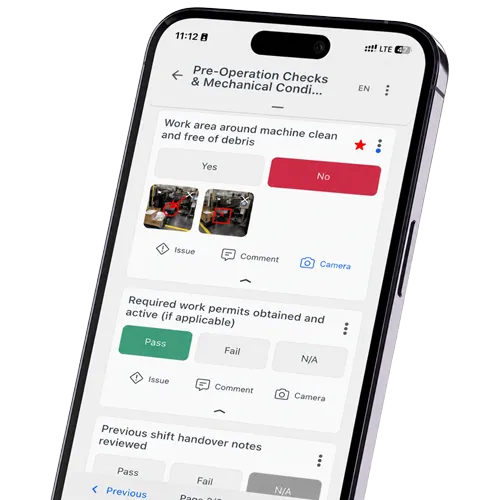
The register says revision 4. The laminated sheet taped to the machine is revision 2. Control breaks at the point of use, not in the system: somebody printed a copy, the revision changed, and nobody walked out to swap it. That is the argument for digital work instructions on anything that changes often, because one release reaches every device and the old copy stops existing. Second gap, almost as common: the standard operating procedures are controlled properly, while the drawings and supplier specifications next to them never made it into the register.
Free Document Control Audit Checklist
It walks the register first and the workstation second, so you can see whether the revision in use matches the approved one, with a spot-check log and a sign-off. Download the checklist (PDF). Prefer it digital? Run this on phone, tablet or PC in flowdit.
Related Terms
- Quality Assurance – the system controlled documents belong to.
- CAPA – corrective actions that trigger a revision.
- Commissioning Documentation – the controlled set handed over at project close.
- Paperless Factory – no uncontrolled printouts left to chase.