 Skip to content
 EN
EN  DE
DE  العربية



-
Audit Management Software for Manufacturing: Quality, EHS and Layered Process Audits
Audit Management Built for Frontline Operations
No card required
Go live within a few hours





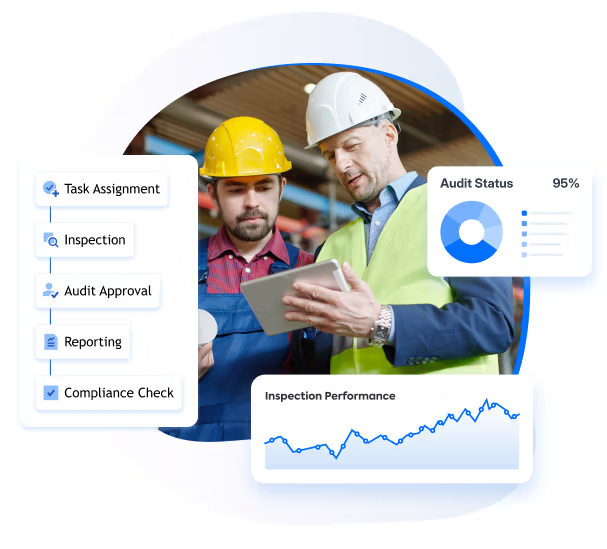
up to 60%
less audit preparation effort
100%
findings tracked to verified closure
50%
fewer open corrective actions
Audit-ready
ISO 9001 · IATF 16949 · GMP
Results based on selected customer projects. Read our case studies →
Why audit teams switch to flowdit
Sound familiar?
The audit plan lives in someone's inbox
Scheduling by email. When a date changes, everything has to be re-coordinated manually. The plan is outdated before the first audit happens.
flowdit: Audit schedules managed centrally. All stakeholders notified automatically when dates change.
Findings without root cause go nowhere
Auditors report what they observed, not why it happened. Without root cause, corrective actions address symptoms, not problems. The same issue returns next cycle.
flowdit: Findings captured with context, photos and root cause evidence directly during the audit. Not reconstructed later in the office.
Corrective actions sit open for 60, 90 days
30, 60 or 90-day response timeframes are standard practice. Nobody follows up. The same non-conformities appear in the next external audit.
flowdit: Every finding gets an owner, deadline and automatic escalation. Tracked to verified closure.
Every plant audited differently
Different checklists, different criteria, no comparability across sites. Management has no consolidated view of audit status or open findings.
flowdit: Unified audit templates deployed across all plants. Results visible on one dashboard.
Audit preparation takes weeks
Pulling together evidence, previous reports and corrective action status before an external audit is manual, stressful and time-consuming.
flowdit: All audit evidence centrally stored and instantly retrievable — online and offline. No last-minute scramble before the auditor arrives.
Non-conformities found by the external auditor first
Internal audits miss what matters. The external auditor finds it instead — triggering warning letters, product holds and costly CAPA work.
flowdit: Structured audit workflows and real-time deviation tracking catch issues before external auditors do.
Always audit-ready
Evidence structured, complete and retrievable in seconds. No stressful preparation weeks before external audits.
Zero open findings without owners
Every non-conformity tracked to verified closure. Automatic escalation until resolved.
One standard across all sites
Unified audit criteria, consistent execution and consolidated results across every plant.
What is audit management software?
Audit management software helps teams schedule, conduct and document audits, collect evidence and follow up on findings. In manufacturing, it replaces paper checklists and Excel-based tracking with digital forms, reports and corrective action records.
No card required
Go live within a few hours
Chosen by the Teams That Keep Operations Running







See How Manufacturing Teams Run Audits with flowdit
Our intuitive platform guides you every step of the way.
Standardize Audits Across Operations
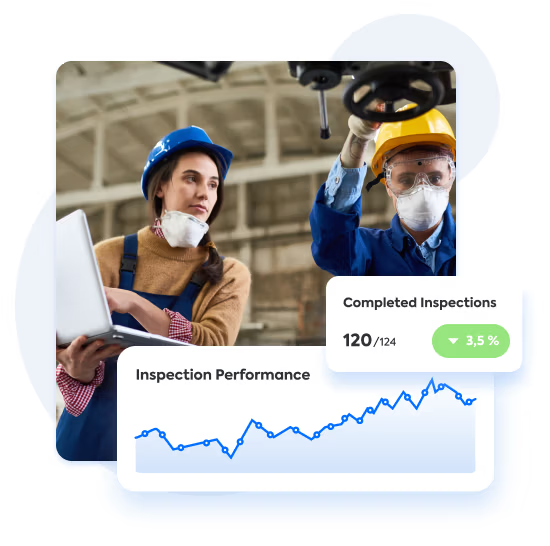
Automate Audit Workflows
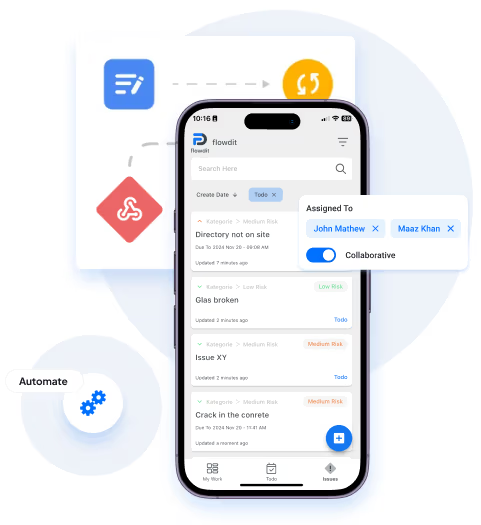
Manage audits, including EHS audits, and inspections in one platform, from planning to execution, with custom workflows.
All Files in One Place
Manage Audit Records in One Place
Store, organize, and retrieve audit documentation in a centralized platform. No more scattered files or lost records, everything is just a click away.
Tailored for Your Needs
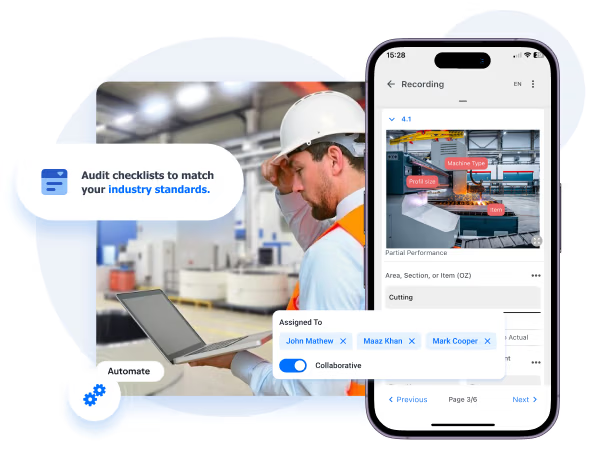
Build Custom Audit Checklists
Create and customize audit checklists to match your industry standards. Build audit checklists around your own requirements. Ideal for 5S Audits, Internal Audits, External Audits, Manufacturing Audits, Environmental Compliance Audits, Quality Control Audits and more.

Instant Insights
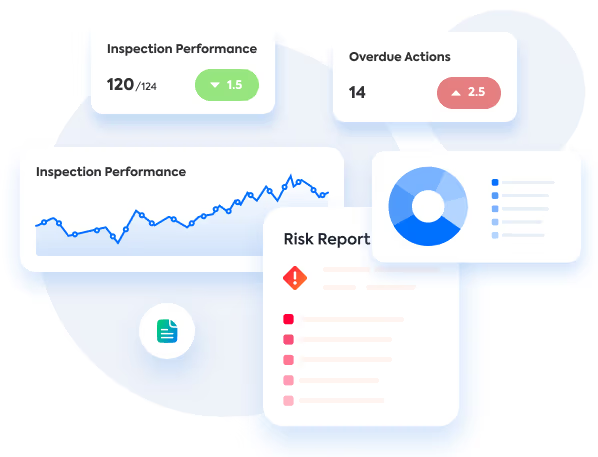
Track Audits in Real-Time
Get live updates on audit progress. Monitor every step, identify risks early, and keep stakeholders informed with detailed real-time reporting.
Stay Compliant
Proactively Manage Risks
Identify compliance gaps and potential risks early. Record audit findings, assess risks using scores or FMEA checklists in the risk management software, and use the results to prioritize follow-up.

Audit Programs
Audit Programs and Scheduling Across Standards and Sites
Many plants run audits for several standards at the same time: ISO 9001, IATF 16949, ISO 14001, ISO 45001, plus customer and supplier audits. Instead of one Excel sheet for all sites and auditors, each audit type becomes a checklist template in flowdit with its own questions, mandatory fields and KO rules. You assign audits as one-off or recurring tasks, and reminders also arrive in Slack or Microsoft Teams. The web portal shows completed audits, open tasks and overdue findings by area.
Layered Process Audits
Layered Process Audit Software for Manufacturing
Layered process audits (LPA) check critical process steps at different management levels, from team leaders to plant managers. With flowdit, teams can schedule recurring audits for each level and use QR codes or NFC tags to open checklists at the workstation. The compliance dashboard shows completed audits and overdue findings, with results available by area.

Audit Management Features
for Manufacturing Teams
Identify Audit Gaps
Prepare for External Audits
Follow Up on Corrective Actions
Customize Audit Checklists
Assign Roles and Tasks
Integrate with Your Systems
Automate Repetitive Tasks
Collaborate Across Teams
Scale Audits Across Sites
Track Audits in Real-Time
Address Non-Compliance Issues
Generate Audit Reports
Scalable Across Audit Teams and Sites
Deploy standardized audit workflows across plants, suppliers and operational teams without disrupting existing processes.
CONSTRUCTION
flowdit enhances efficiency, reduces delays, boosts productivity, ensures safety.
Project Manager
Granted Works Contractors
LOGISTICS
flowdit unifies operations, boosts efficiency, and enhances team collaboration.
Operations Manager
Loadtrack Logistics
ENERGY
flowdit streamlines processes, boosts efficiency, and empowers innovation.
Sun Horizon Energy Solutions
AVIATION
flowdit transforms operations, ensuring clarity, adaptability, and team alignment.
Chief Operations Officer
SkyTrack Aviation Services

MANUFACTURING
flowdit enhances efficiency, ensures compliance, simplifies processes, and saves time.
Quality Assurance Manager
IronEdge Fabrications
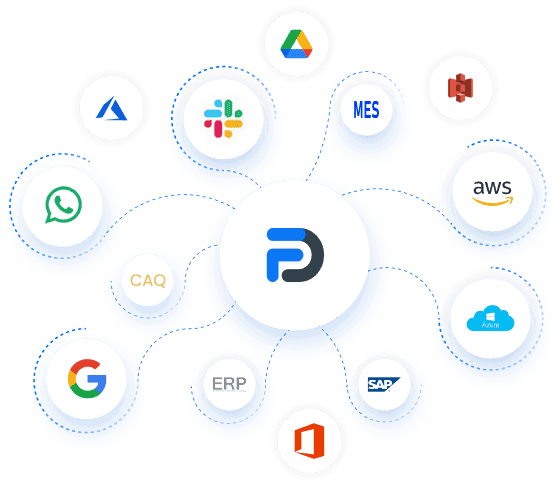
Connect Audits with Your Existing Systems
flowdit connects directly with Microsoft Dynamics and Salesforce. SAP and Proalpha integrations are available through individual integration projects. Premium and Enterprise plans include access to an open API and webhooks.
Compliance Audits with flowdit
Every audit finding documented. Every action traceable.
Structure internal and external audit programmes, capture findings with precision and track corrective actions to verified closure - flowdit gives your quality and compliance teams a consolidated platform for the entire audit cycle.
No card required
Go live within a few hours



How to Choose Audit Management Software for Manufacturing
Many audit management tools are built for financial and internal audit teams. For operational audits on the shop floor and at suppliers, check these points:
| What to check | flowdit |
|---|---|
| Offline useCan auditors work without Wi-Fi in the plant or at a supplier? | Yes. Results sync automatically when the device is back online. |
| EvidenceAre photos and signatures stored with each finding? | Yes. Photos and the on-device signature go into the PDF report, which is locked after signature. An audit trail records changes. |
| Existing checklistsCan you reuse Excel, Word or PDF audit forms? | Yes, through AI import, also from photos of paper lists. |
| Follow-upDo findings turn into corrective actions with owner and due date? | Yes, with reminders and escalation (Premium plan). |
| Several standards and sitesSeparate templates, recurring audits, status by area? | Yes. One template per standard, one-off or recurring audits, status by area in the compliance dashboard. |
| IntegrationsERP or CRM connection and API? | Microsoft Dynamics and Salesforce directly, SAP and Proalpha as projects, API and webhooks in Premium and Enterprise. |
| Hosting and securityWhere is the data, is SSO supported? | Cloud hosting in Germany (application in Nuremberg, file storage in Frankfurt) or on-premises from 50 users; 2FA, LDAP and SAML 2.0 SSO. |
| TestingCan you try it before buying? | Free plan for one user with no time limit, 14-day Premium demo. |
Quality and EHS Audit Software vs. Financial and GRC Audit Software
| Criteria | Quality and EHS audit software | Financial and GRC audit software |
|---|---|---|
| Primary users | Quality, EHS and production teams | Internal audit, risk and compliance teams |
| Audit locations | Production lines, sites and suppliers | Offices, departments and business systems |
| Typical frameworks | ISO 9001, IATF 16949, ISO 14001, ISO 45001 | SOX, COSO, IIA Global Internal Audit Standards |
| Typical evidence | Photos, measurements, signatures and inspection records | Documents, financial records and control-testing evidence |
| Main focus | Operational processes, safety and quality | Governance, financial controls and organizational risk |
Got questions?
FAQ | Audit Management Software
Which types of audits can manufacturing teams manage with flowdit?
flowdit supports internal quality audits based on ISO 9001 and IATF 16949, process and layered process audits, EHS audits based on ISO 14001 and ISO 45001, supplier audits, 5S audits and Gemba walks. You can start from ready-made templates such as the 5S audit or Gemba walk, or build your own checklists without coding, and schedule recurring audits where needed.
What does internal audit software do, and who needs it?
Internal audit software is a digital tool that enables auditors, compliance officers, and QA teams to efficiently plan, conduct, and document internal audits. It replaces manual checklists and spreadsheets with digital tools that support consistency, traceability, and adherence to regulations.
Core capabilities include audit planning, checklist management, real-time tracking, issue reporting, and analytical functions. These functions enable teams to identify gaps, non-conformities, and risks across departments.
A good internal audit tools includes document version control, internal control framework support, and team collaboration within a secure platform. When selecting software, prioritize an intuitive dashboard, mobile support, and the ability to adapt audit processes to your organization's particular needs.
What are the key features to look for in an audit management tool?
Key features to consider in an audit management tool encompass audit planning, scheduling, execution, reporting, and analytics. Effective solutions automate audit procedures and offer customizable dashboards to simplify planning and visualize outcomes.
Detailed reporting and complete audit trails deliver transparency while improving process efficiency.
Leading audit management software incorporates risk and compliance features to address regulatory requirements and internal control.
What are the benefits of using audit management software?
The system simplifies audit procedures and improves throughput. By automating various aspects of the audit process (e.g., planning, execution, and reporting), the software contributes to efficient processes. It enhances compliance by providing a structured approach to managing both internal and external audits.
The software also provides real-time analytics, which helps businesses find and deal with the most important risk areas. Additionally, by centralizing audit data, the systems facilitate the audit team's access to and utilization of pertinent information. Overall, this management platform integrates policy management to improve audit effectiveness and coverage.
What are the different types of audit management tools available?
Available solutions range from audit management software and mobile apps to cloud-based platforms.
Audit software simplifies the entire audit procedure, from planning through reporting. Mobile apps support real-time fieldwork execution and audit data collection. Cloud-based solutions centralize audit data and enable remote access to the audit program, supporting team collaboration. These tools cater to different organizational needs, such as incident management for internal audits or solutions for external audits
What are the best practices for using audit management software?
To get the most out of an audit management solution, consider implementing these best practices:
Schedule Regular Audits:
Consistently plan audits to maintain oversight of business operations. Use the software's scheduling features to plan and track audits and to detect issues early.
Customize the Software: Ensure that the platform is consistent with your organization’s processes. Modify templates, checklists, and reports to meet specific requirements.
Provide Comprehensive Training: Make certain that your audit team is able to use the software competently. Utilize the documentation, videos, and direct support provided by the vendor to ensure a smooth implementation and that users are proficient.
Regularly Update and Maintain the System:
Keep the software up-to-date to benefit from the latest features and security improvements. Conduct periodic system reviews to ensure it continues to meet your business needs and remains aligned with evolving audit requirements.
Who can benefit from internal auditing solutions?
Internal audit management software applies across organizations of all sizes and industries, including finance, healthcare, and manufacturing.
They benefit audit teams, compliance officers, and risk management professionals in executing efficient internal audits and maintaining regulatory compliance.
From smaller organizations to complex enterprise structures, a software for audit management provides tools for effective internal control, policy management, and the entire audit lifecycle.
Why is ISO-ready audit management software critical for internal audits?
ISO-ready audit management software plays a crucial role in enhancing the efficiency and effectiveness of internal audits, especially when it comes to meeting ISO requirements.
By automating key processes, it reduces manual errors and boosts accuracy. The software gives you access to audit data in real time, lets you handle documents from one place, and has built-in Corrective and Preventive Actions (CAPA) tools to make sure that audit findings are resolved quickly.
Digital records increase accountability, while customizable checklists enable companies to tailor audits to their own requirements.
How does internal audit management software enhance risk management?
Internal audit management software enhances risk management by integrating advanced risk assessment tools.
These tools help businesses find, rank, and deal with possible risks more accurately and quickly. Software for audit management gives you real-time insights into emerging risks, enabling proactive strategies to mitigate issues before they escalate.
It also includes elements for risk and compliance and makes sure that regulatory standards are always followed, which makes it a key part of any effective risk management strategy.
How does audit management software support EHS audits?
flowdit combines audit management with EHS audits. Checklists for ISO 14001 and ISO 45001 audits, safety inspections and accident reports run on the same platform, so health, safety and environmental criteria can be part of every audit.
Is flowdit secure and compliant?
flowdit supports two-factor authentication, LDAP and SAML 2.0 single sign-on, and its own user management. Report changes are recorded in an audit trail, and signed reports are protected against further changes. The cloud application is hosted in Nuremberg and files are stored in Frankfurt, Germany. An on-premises option is available from 50 users.
Can audit workflows be standardized across multiple plants?
Yes. flowdit deploys unified audit templates, checklists and criteria across all sites from one central system. Every plant follows the same audit standard, results are consolidated on one dashboard and management gets a real-time view across all locations.
Can small businesses use flowdit?
Yes. flowdit has a free plan for one user, paid plans start at five users, and the same templates and workflows can be rolled out to more sites later.
What are the steps to implement the software successfully?
Typically, implementing an audit management tool involves planning, training, and deployment.
Start by defining the audit plan and identifying key stakeholders involved in the audit. Next, select the appropriate audit management system for your business. Training is crucial to ensure that auditors and other relevant staff understand how to use the software effectively.
Configuring the software to fit your audit methodology and integrating it with current systems are all part of deployment. Implementation success is increased by using solutions for centralized document management and audit checklists. The system must receive regular updates and support in order to remain effective.
Can audit checklists be customized for any industry?
Yes, absolutely. With flowdit, you can create audit checklists that match your industry, your standards, and even your internal processes.
Whether you need checklists for ISO 9001, GMP, EHS, or your own SOPs - everything is flexible. You can:
- Add your own questions and categories
- Use photos, dropdowns, signatures, and more
- Adjust the checklist layout for different teams or locations
No coding or setup help needed. Just drag, drop, and go.
Can we use our existing audit checklists?
Yes. flowdit uses AI to import checklists from Excel, Word, PDF and photos of paper checklists. You can also start with templates for 5S audits, Gemba walks and 8D reports from the flowdit library.
Does flowdit support layered process audits (LPA)?
Yes. You can schedule recurring audit tasks for different management levels. QR codes or NFC tags open the relevant checklist on a smartphone or tablet. Corrective actions with assigned owners and due dates are available in the Premium plan.
Can auditors work offline in the plant or at a supplier?
Yes. Auditors complete audits in the flowdit app on a tablet or smartphone without a connection, for example in a hall without Wi-Fi or at a supplier site. Results, photos and signatures sync automatically once the device is back online.
What tools can flowdit connect with?
flowdit connects with many other tools you already use.
Some popular integrations include:
- ERP systems like SAP or Microsoft Dynamics
- Maintenance platforms (e.g. to link audits with repairs)
- Document tools like SharePoint
- Power BI and other reporting tools
- Custom systems via API
Need something special? We’ll help you connect it.
What is the difference between audit management software and QMS software?
QMS software manages the entire quality management system including documents, training and non-conformances. Audit management software focuses specifically on planning, executing and documenting audits and tracking findings. flowdit combines both — structured audit workflows with full corrective action tracking, built for manufacturing operations.
When does ERP software reach its limits for audit management?
ERP systems handle production planning and resource management well, but lack structured audit workflows, offline field execution and audit-ready documentation. When audit teams need to conduct inspections on the shop floor, capture findings with photos and track corrective actions to closure, a dedicated audit management solution fills the gap ERP cannot.
How does audit management software support corrective actions (CAPA)?
Audit management software connects findings directly to corrective action workflows. Every non-conformity identified during an audit is automatically assigned an owner, deadline and priority. flowdit tracks each corrective action through to verified closure — with automatic escalation if deadlines are missed. This eliminates the gap between finding an issue and fixing it.