 Skip to content
 EN
EN  DE
DE  العربية



-
Audit Management Software - Secure & AI-Ready
Ensure Compliance
with Seamless Audits
with Seamless Audits



Chosen by the Teams That Keep Operations Running







See How It Works in Just 2 Minutes
Our intuitive platform guides you every step of the way.
Audit Process Simplified
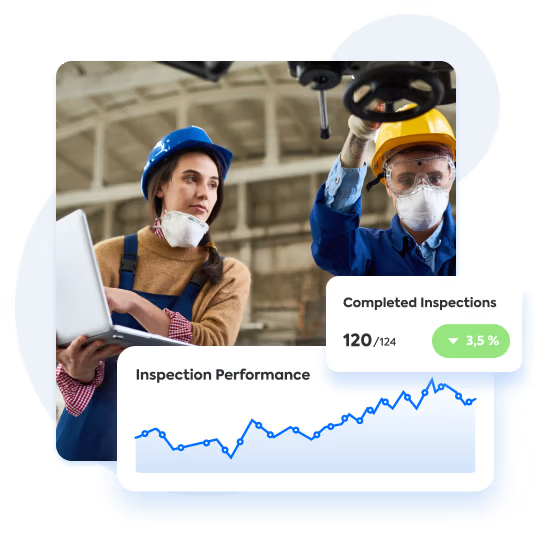
Automate Audit Workflows
Manage end-to-end audits, including EHS audits, and inspections in one platform. From planning to execution, automate tasks, ensure compliance, and save time with custom workflows.
All Files in One Place
Manage Audit Records Effortlessly
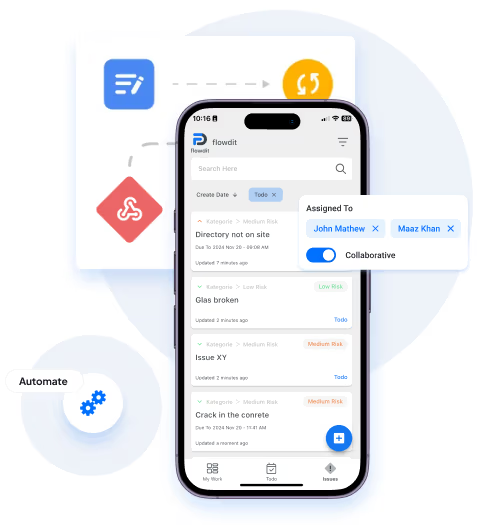
Store, organize, and retrieve audit documentation in a centralized platform. No more scattered files or lost records, everything is just a click away.
Tailored for Your Needs
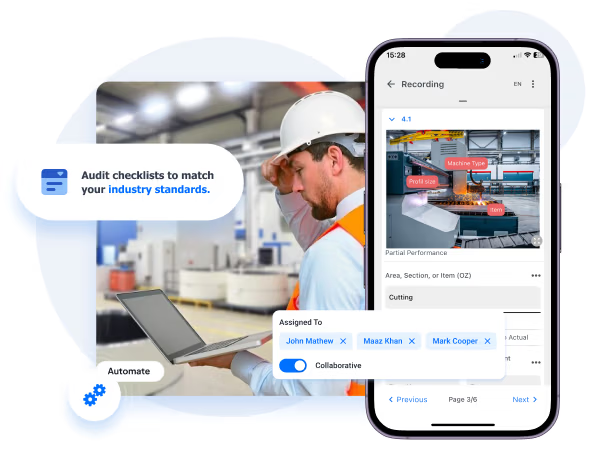
Build Custom Audit Checklists
Create and customize audit checklists to match your industry standards. Ensure thorough audits with fully tailored checklists designed to meet your specific needs. Ideal for 5S Audits, Internal Audits, External Audits, Environmental Compliance Audits, Quality Control Audits and more.

Instant Insights
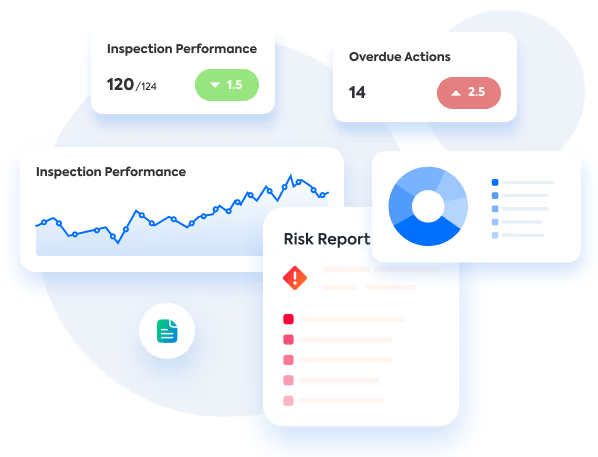
Track Audits in Real-Time
Get live updates on audit progress. Monitor every step, identify risks early, and keep stakeholders informed with detailed real-time reporting.
Stay Compliant
Proactively Manage Risks
Identify compliance gaps and potential risks before they escalate. Leverage audit data together with integrated risk management software to improve processes and maintain compliance with regulatory standards.
Your path to flawless audits
begins here
Identify Audit Gaps
Ensure Regulatory Compliance
Streamline Corrective Actions
Customize Audit Checklists
Assign Roles and Tasks
Integrate with Your Systems
Automate Repetitive Tasks
Collaborate Across Teams
Scale Audits Effortlessly
Track Audits in Real-Time
Address Non-Compliance Issues
Generate Audit Reports
Perfect fit for every team
Get started fast with out-of-the-box solutions.
Easily customize flowdit as team needs grow!
CONSTRUCTION
flowdit enhances efficiency, reduces delays, boosts productivity, ensures safety.
Project Manager
Granted Works Contractors
LOGISTICS
flowdit unifies operations, boosts efficiency, and enhances team collaboration.
Operations Manager
Loadtrack Logistics
ENERGY
flowdit streamlines processes, boosts efficiency, and empowers innovation.
Sun Horizon Energy Solutions
AVIATION
flowdit transforms operations, ensuring clarity, adaptability, and team alignment.
Chief Operations Officer
SkyTrack Aviation Services

MANUFACTURING
flowdit enhances efficiency, ensures compliance, simplifies processes, and saves time.
Quality Assurance Manager
IronEdge Fabrications
Streamline Your Audit Processes with Seamless Integrations
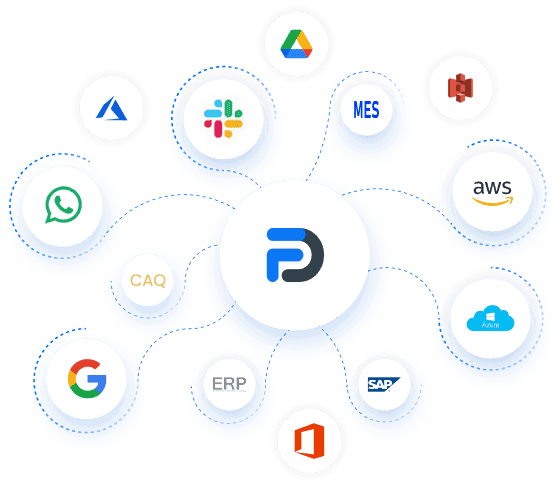
flowdit integrates seamlessly with your existing ERP, CRM, and project management tools to streamline every step of your audit process. It handles compliance checks, quality inspections, and documentation without disrupting workflows.
The platform also supports preventive maintenance workflows, EHS Audits, and connects with industry-standard systems like SAP, Microsoft Dynamics, and SharePoint for a fully connected audit experience.
Effortless Compliance Audits with flowdit
Transform the way your team works - today.
Simplify processes, stay aligned with every standard, and drive efficiency with flowdit’s all-in-one platform. Power your operations today.

Got questions?
Frequently Asked Questions
What does internal audit software do, and who needs it?
Internal audit software is a digital tool that enables auditors, compliance officers, and QA teams to efficiently plan, conduct, and document internal audits. It replaces manual checklists and spreadsheets with automated tools to guarantee consistency, traceability, and adherence to regulations.
Core capabilities include audit planning, checklist management, real-time tracking, issue reporting, and analytical functions.These functions enable teams to identify gaps, non-conformities, and risks across departments.
A good internal audit tools includes document version control, internal control framework support, and team collaboration within a secure platform. When selecting software, prioritize an intuitive dashboard, mobile support, and the ability to adapt audit processes to your organization's particular needs.
What are the key features to look for in an audit management tool?
Key features to consider in an in an audit management tool encompass audit planning, scheduling, execution, reporting, and analytics. Effective solutions automate audit procedures and offer customizable dashboards to simplify planning and visualize outcomes.
Detailed reporting and complete audit trails deliver transparency while improving process efficiency.
Leading audit management software incorporates risk and compliance features to address regulatory requirements and internal control.
What are the benefits of using audit management software?
The system simplifies audit procedures and improves throughput. By automating various aspects of the audit process (e.g., planning, execution, and reporting), the software contributes to efficient processes. It enhances compliance by providing a structured approach to managing both internal and external audits.
The software also provides real-time analytics, which helps businesses find and deal with the most important risk areas. Additionally, by centralizing audit data, the systems facilitate the audit team's access to and utilization of pertinent information. Overall, this management platform integrates policy management to improve audit effectiveness and coverage.
What are the different types of audit management tools available?
Available solutions range from audit management software and mobile apps to cloud-based platforms.
Audit software simplifies the entire audit procedure, from planning through reporting. Mobile apps support real-time fieldwork execution and audit data collection. Cloud-based solutions centralize audit data and enable remote access to the audit program, supporting team collaboration. These tools cater to different organizational needs, such as incident management for internal audits or solutions for external audits
What are the best practices for using audit management software?
To fully leverage the benefits of an audit management solution, consider implementing these best practices:
Schedule Regular Audits:
Consistently plan audits to maintain oversight of business operations. Use the software's scheduling features to streamline audit tracking and execution, ensuring compliance and early issue detection.
Customize the Software: Ensure that the platform is consistent with your organization’s processes. Modify templates, checklists, and reports to meet specific requirements.
Provide Comprehensive Training: Make certain that your audit team is able to use the software competently. Utilize the documentation, videos, and direct support provided by the vendor to ensure a smooth implementation and that users are proficient.
Regularly Update and Maintain the System:
Keep the software up-to-date to benefit from the latest features and security improvements. Conduct periodic system reviews to ensure it continues to meet your business needs and remains aligned with evolving audit requirements.
Who can benefit from internal auditing solutions?
Internal audit management software apply across organizations of all sizes and industries, including finance, healthcare, and manufacturing.
They benefit audit teams, compliance officers, and risk management professionals in executing efficient internal audits and maintaining regulatory compliance.
From smaller organizations to complex enterprise structures, a software for audit management provides tools for effective internal control, policy management, and the entire audit lifecycle.
Why is ISO-ready audit management software critical for internal audits?
ISO-ready audit management software plays a crucial role in enhancing the efficiency and effectiveness of internal audits, especially when it comes to meeting ISO requirements.
By automating key processes, it reduces manual errors and boosts accuracy. The software gives you access to audit data in real time, lets you handle documents from one place, and has built-in Corrective and Preventive Actions (CAPA) tools to make sure that audit findings are resolved quickly.
Digital records increase accountability, while customizable checklists enable companies to tailor audits to their own requirements.
How does internal audit management software enhance risk management?
Internal audit management software enhances risk management by integrating advanced risk assessment tools.
These tools help businesses find, rank, and deal with possible risks more accurately and quickly. Software for audit management gives you real-time insights into emerging risks, enabling proactive strategies to mitigate issues before they escalate.
It also includes elements for risk and compliance and makes sure that regulatory standards are always followed, which makes it a key part of any effective risk management strategy.
How does audit management software support EHS audits?
flowdit combines audit management with EHS audit software to ensure that every audit includes criteria for health, safety, and the environment. This helps organizations stay compliant with ISO 45001, OSHA, ISO 14001, and ESG standards while reducing audit effort by up to 30%
Is flowdit secure and compliant?
flowdit's cloud-based audit management software prioritizes data security with state-of-the-art encryption and multi-factor authentication. It ensures that audit outcomes are protected during storage and transmission. With strong access controls in place, the platform guarantees that only authorized personnel can access audit data. Additionally, features like incident management and audit trail tracking enhance transparency and lower the chances of unauthorized actions.
As a software as a service solution (SaaS) flowdit integrates with existing systems to provide visibility into audit activities and support audit and risk management. This ensures efficient audit execution while maintaining high security standards.
By using automation, flowdit increases audit efficiency, enabling complete audit execution that is secure and meets industry compliance standards.
Can small businesses use flowdit?
Yes, flowdit is ideal for small businesses. With its scalable architecture, adaptable workflows, and access to real-time data, it is efficient for handling audits and ensuring compliance. It simplifies processes for small teams with features like audit status tracking and centralized management, making it a budget-friendly option for streamlined operations.
What are the steps to implement the software successfully?
Typically, implementing an audit management tool involves planning, training, and deployment.
Start by defining the audit plan and identifying key stakeholders involved in the audit. Next, select the appropriate audit management system for your business. Training is crucial to ensure that auditors and other relevant staff understand how to use the software effectively.
Configuring the software to fit your audit methodology and integrating it with current systems are all part of deployment. Implementation success is increased by using solutions for centralized document management and audit checklists. The system must receive regular updates and support in order to remain effective.
Can audit checklists be customized for any industry?
Yes, absolutely. With flowdit, you can create audit checklists that match your industry, your standards, and even your internal processes.
Whether you need checklists for ISO 9001, GMP, EHS, or your own SOPs - everything is flexible. You can:
- Add your own questions and categories
- Use photos, dropdowns, signatures, and more
- Adjust the checklist layout for different teams or locations
No coding or setup help needed. Just drag, drop, and go.
Does flowdit audit software work on mobile devices and offline?
Yes. flowdit works great on phones and tablets, even without an internet connection.
You can complete audits on the go, in the factory, or out in the field. The app saves everything offline and syncs it once you're back online.
- Use checklists on your phone
- Take photos or record voice notes
- Sign off on audits with a finger
- Keep everything safe and synced in the cloud
It’s made for real-world inspections; not just desk work.
What tools can flowdit connect with?
flowdit connects with many other tools you already use.
Some popular integrations include:
- ERP systems like SAP or Microsoft Dynamics
- Maintenance platforms (e.g. to link audits with repairs)
- Document tools like SharePoint
- Power BI and other reporting tools
- Custom systems via API
Need something special? We’ll help you connect it.