 Skip to content
 EN
EN  DE
DE  العربية



-
Electronic Quality Management System Software (eQMS) for Manufacturing
Quality processes under control. Compliance fully traceable.
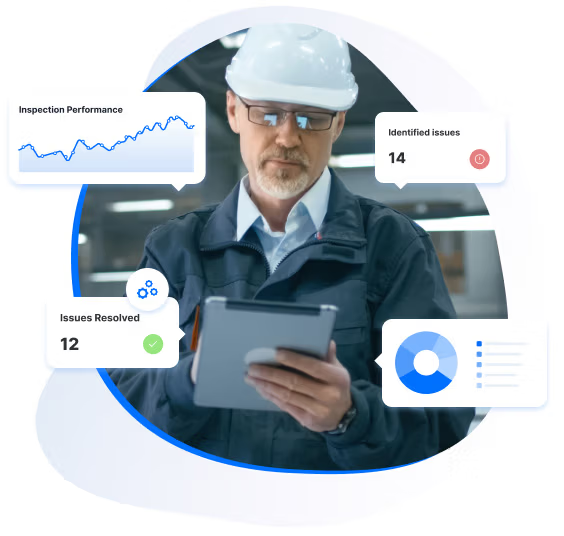
flowdit is a no-code electronic quality management system (eQMS) for manufacturing. Quality teams document nonconformances, track corrective actions, control documents and run audits with digital checklists, on tablet or smartphone or in the web portal, online and offline.
No card required
First checklist live in 5 minutes






80%
less manual effort in quality workflows
100%
CAPA actions tracked to verified closure
50%
faster audit preparation
Audit records
for ISO 9001 · IATF 16949 · GMP workflows
Results based on selected customer projects. Read our case studies →
Why quality teams switch to flowdit
Sound familiar?
Non-conformances managed in spreadsheets
Issues logged in Excel, emailed around, tracked nowhere. No one knows which are open, who owns them or when they were resolved.
One record per nonconformance in your eQMS, with photos and status, from finding to closure. The audit trail logs every change.
CAPA cycles take months
Corrective actions live in spreadsheets and email threads, where deadlines slip and attachments get lost. Then the same finding comes back at the next audit.
In Premium, each corrective action has an owner and a deadline. Reminders go out until it is done, and overdue actions can escalate.
Documents with no version control
Outdated procedures on the shop floor. Nobody knows which version is current. A validation protocol saved in the wrong folder leads to non-compliant testing.
Document control in the eQMS: no release without approval. Each read confirmation records who confirmed which version, with name and time.
Quality data scattered across sites
Each plant keeps records its own way. Nobody has a combined view, and management sees quality problems only when someone sends a report.
Nonconformances, audits and open actions from all sites sit in one portal. QA sees the current status in real time, without asking each plant for its spreadsheet.
Audit preparation takes weeks
Evidence scattered across folders, emails and systems. Every external audit triggers a manual scramble to pull records together under time pressure.
Inspection records are searchable. When the auditor asks for last March's results, you find them in the portal instead of pulling binders off the shelf.
Training gaps discovered during audits
Training lists sit in different files per department. Missing qualifications show up only when the external auditor asks for the records.
Training records run on templates, and for SOPs the read confirmation shows who has seen which version.
Open Findings Stay Visible
Open findings and actions stay visible until someone closes them.
Audit Evidence at Hand
Evidence is filed when the inspection happens. Before an external audit, you search instead of collecting.
One quality standard across all sites
Every plant works with the same released checklists and documents.
What is an eQMS?
An electronic quality management system (eQMS) is software used to manage quality processes and records digitally. Typical functions include document control, audits, nonconformance tracking, corrective actions and training records. Changes can be traced through an audit trail.
No card required
First checklist live in 5 minutes
Chosen by the Teams That Keep Operations Running








Explore our Electronic Quality Management System (eQMS) in Just 2 Minutes
Many quality teams still run quality management in spreadsheets. That works until three people edit the same file and nobody knows which version the auditor should see. In flowdit, documents, findings and actions live in one system. Follow-up on open actions runs through reminders (Premium).
Standardize Quality Workflows Across Operations
Run Internal Audits in Your QMS Software
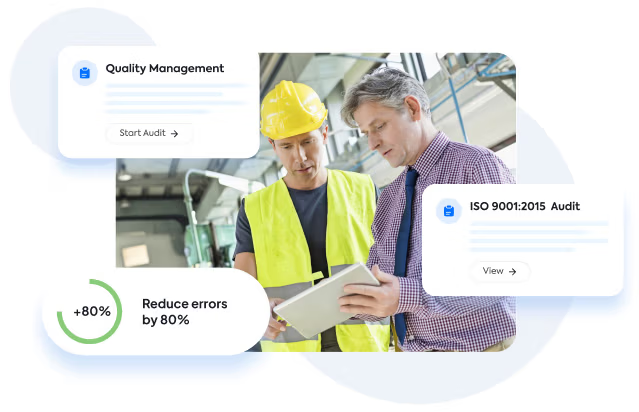
Plan internal audits, run them on a tablet or smartphone, and the report is ready when the last question is answered. Findings become corrective actions in the same system.
Mitigate Risks Early
Identify and Resolve Issues Fast
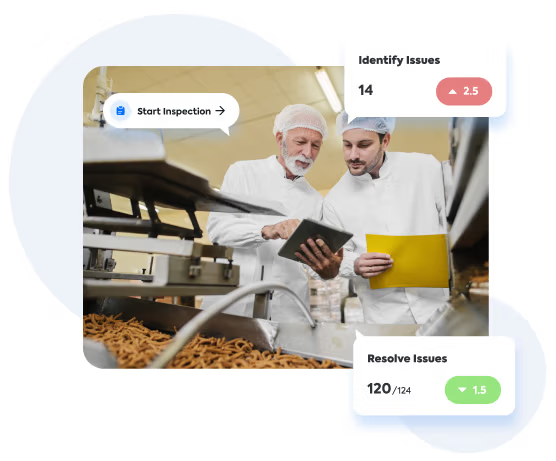
The dashboards show open issues by site and production line. Recurring faults stand out there, and you track the fix as a corrective action through CAPA management.
From Finding to Closure
From Inspection to Audit Record in One System
A check fails at the machine. The inspector records the nonconformance on a tablet or smartphone and adds photos, even without a network. In Premium, the corrective action goes to an owner with a deadline, and you can make it mandatory for every failed check. Until it is closed, flowdit reminds the owner and can escalate when it runs late. Inspection, nonconformance and action stay in one record. The audit trail logs every change, and that record is exactly what auditors ask for at your next ISO 9001 or IATF 16949 audit.


Document Control
Document Control That Reaches the Shop Floor
Procedures and work instructions are versioned and approved before release. On the line, operators open the current version on their phone or tablet. Every read acknowledgment stores name, time and version, so you know who has seen the latest change. Older versions stay in the document history. Tasks loaded while online can be finished offline and sync once the device reconnects.
Centralized QMS Software for Manufacturing Operations
Nonconformance Management
Standardize Procedures
Supplier Evaluation
Quality Assurance
Management & Traceability
Issue Tracking & Resolution
Audits & Inspections
ISO Audit Documentation
Efficiency Improvements
Document & Version Control
Preventive Maintenance
Root Cause Analysis
CAPA Management
Training Records
Reporting & Analytics
Which Type of Quality Management Software Fits Your Operation?
Quality management software falls into three broad groups. Capabilities vary by vendor, so treat this as a guide for your shortlist, not a feature promise. flowdit belongs to the third group.
| Classic eQMS suite | Audit and inspection app | Manufacturing-focused eQMS (flowdit) | |
|---|---|---|---|
| Main focus | Document control, training and validation, often in life sciences | Audits and inspections on the floor | Documents, nonconformances, CAPA and audits in manufacturing |
| Document control with approval | Yes | Varies by vendor | Yes, with read acknowledgment per version |
| Nonconformance and CAPA | Yes | Often limited to follow-up actions | Yes, in Premium, with reminders and escalation |
| Inspections on tablet or smartphone, offline | Varies by vendor | Varies by vendor | Yes |
| Training, supplier and gauge records | Usually dedicated modules | Rarely | Via configurable templates |
| Setup | Often an implementation project | Usually quick | No-code, first workflow live within hours |
| Free plan | Less common | Varies by vendor | Yes, for one user |
Start free for one user, move to a paid plan from five users, or test Premium for 14 days. The first workflow can run within hours; a company-wide rollout depends on its scope. See pricing
Perfect fit for every team
Start with ready-made templates, no setup project required.
Adapt checklists and workflows yourself, without writing code.
CONSTRUCTION
flowdit enhances efficiency, reduces delays, boosts productivity, ensures safety.
Project Manager
Granted Works Contractors
LOGISTICS
flowdit unifies operations, boosts efficiency, and enhances team collaboration.
Operations Manager
Loadtrack Logistics
ENERGY
flowdit simplifies inspections, audits and daily processes.
Sun Horizon Energy Solutions
AVIATION
flowdit transforms operations, ensuring clarity, adaptability, and team alignment.
Chief Operations Officer
SkyTrack Aviation Services
MANUFACTURING
flowdit enhances efficiency, ensures compliance, simplifies processes, and saves time.
Quality Assurance Manager
IronEdge Fabrications
Integrated Tools for Quality Excellence
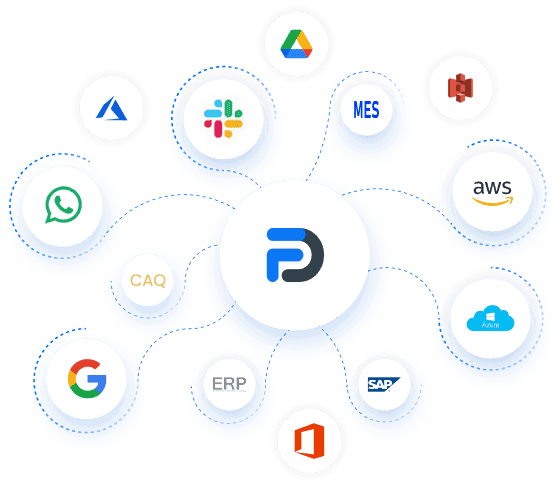
flowdit connects directly with Microsoft Dynamics and Salesforce. SAP and Proalpha integrations can be implemented as projects. An open API connects MES and other systems, data can flow to Microsoft Power BI, and records export as CSV, XML or JSON.
Explore our quality management guides
Bring Quality Management to the Shop Floor
Centralize document control, track nonconformances and manage corrective actions in one platform. flowdit is quality management software that supports compliant operations across your organization.
No card required
First checklist live in 5 minutes



Got questions?
FAQ | QMS Software
What is the difference between a QMS and an eQMS?
A QMS is the set of processes, responsibilities and documents a company uses to manage quality, for example under ISO 9001. An eQMS is software that supports and documents these processes digitally: documents with versioning and approval, nonconformances, corrective actions and audits, kept together instead of spread over paper, Excel and shared drives.
What key features are included in flowdit’s eQMS?
- Document & version control
- CAPA & non-conformance tracking
- Training records via templates
- Audit scheduling & traceability
- Risk assessment with FMEA template
- Supplier evaluation via templates
- Real-time dashboards and reports
- Offline functionality
- Open API and webhooks
- Multisite and enterprise scaling
Does flowdit replace a full enterprise QMS?
Not in every case. flowdit covers the shop-floor side of quality management: inspections, audits, nonconformances, corrective actions and document control. Training records, supplier evaluations and gauge management run on templates rather than dedicated modules, so companies that need those modules can run flowdit alongside their existing QMS.
Does flowdit work offline?
Yes. Tasks loaded while online can be completed without a connection, on the manufacturing floor or in the field. Inspectors fill in checklists, take photos and sign. The data syncs once the device reconnects, so nothing has to be typed up later.
How fast can we implement flowdit?
Teams can start using flowdit within a few hours. Guided onboarding with a success manager and ready-made templates help with setup. ERP integrations require additional project work.
Can flowdit be used in regulated industries?
flowdit is suited for compliance-intensive industries such as pharmaceuticals, medtech, biotech and manufacturing. Requirements such as ISO 13485 can be mapped with checklists, document control and audit records. Every change to a report is recorded in the audit trail, signatures are captured on the device, and reports cannot be changed after signing. Validation for a specific regulated use case is assessed separately.
Which compliance standards does flowdit support?
Standards such as ISO 9001, ISO 13485, IATF 16949, ISO 14001, ISO 45001 and GMP requirements can be mapped in flowdit with your own checklists. You configure them to match your compliance and audit protocols.
Can I manage CAPA and non-conformances in flowdit?
Yes, in Premium. You report the issue, investigate the cause and assign corrective actions with an owner and a deadline. Evidence is attached to the action. Each step carries a timestamp in the audit trail.
How does flowdit support audit readiness?
Records, document versions and approvals are stored in one place and can be searched. For an ISO, internal or customer audit, you pull the evidence from there. No hunting through drives.
Can flowdit integrate with ERP or MES systems?
Yes. ERP and MES systems connect through the open API and webhooks, available in Premium and Enterprise. Microsoft Dynamics and Salesforce have direct connectors. SAP, including S/4HANA, and Proalpha are set up as integration projects.
What functionalities must an eQMS include for effective document control?
At minimum: version control, access rights, approval before release and an audit trail. For the shop floor, add a read acknowledgment per version and access on a tablet or smartphone. Without these records, it is hard to show which version applied when.
How does an eQMS manage training and employee qualifications?
With configurable templates, not a dedicated training module. You assign training tasks once or let them recur, and flowdit sends reminders. For work instructions, you can require employees to confirm they have read them, and the name and time of each confirmation are stored.
How much does flowdit QMS software cost?
flowdit offers Free, Standard, Premium and Enterprise plans. The Free plan stays free for one user, paid plans start at five users, and you can test Premium free for 14 days. On-premise is available from 50 users. See current prices on our pricing page.
Is Excel or SharePoint enough for a QMS?
For a small team with a few documents, Word, Excel and a controlled SharePoint folder can work. Across shifts and sites it gets harder. Nonconformances and audit findings end up in different files, and nobody sees which action is overdue. flowdit puts them in one place with an audit trail, and it runs at the machine as well as in the office.
How do I choose QMS software for manufacturing?
Six questions narrow the shortlist quickly:
- Does it work on the shop floor, on a tablet or smartphone and offline?
- Are documents, nonconformances, corrective actions and audits in one system?
- Can quality staff build forms and checklists without IT?
- How long until the first workflow runs, and what does a full rollout involve?
- Can you start small and add users later?
- Does it connect to your ERP or MES and export data to Excel?
Test two or three tools with one real process from your plant before you decide.