...

Choosing the Right CMMS in 2026: A Practical Comparison of Leading Systems

See flowdit in action

Schedule a live, one-on-one demo with a product expert and see how flowdit can help you go paperless and reduce costly unplanned downtime.

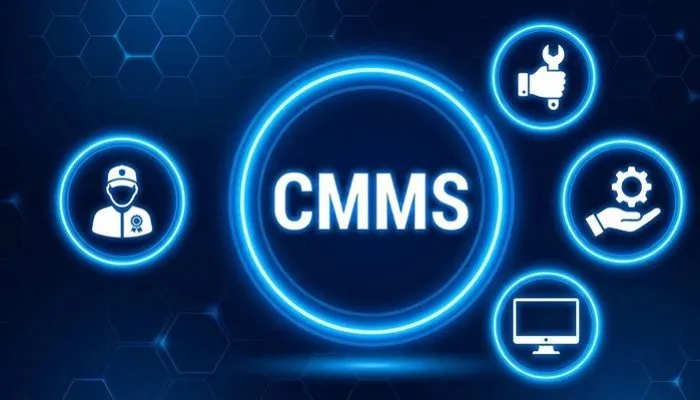
CMMS Software interface concept with central CMMS label and icons for maintenance, technician, system monitoring, and digital asset management representing best maintenance management software

Summary: Unplanned downtime is costly. Not only in the form of repair costs, but also due to lost production, delivery delays, and a lack of process stability that builds up over months. The root cause is rarely a lack of expertise, but rather the fact that maintenance data, inspection histories, and task statuses are scattered across too many systems, spreadsheets, and people.

A CMMS consolidates maintenance orders, inspection intervals, spare parts inventory, and technician scheduling into a single database, thereby laying the foundation for controllable, fully documented maintenance. However, not every CMMS delivers the same results in practice. The real difference only becomes visible in day-to-day operations.

Our comparison provides maintenance managers and operations managers with a structured basis for decision-making: clear criteria, concrete functional differences, and an assessment of which providers are suitable for which company sizes and industries.

What is Maintenance Software?

Maintenance software, also known as CMMS (Computerized Maintenance Management System), is a software solution for planning, managing, and optimizing maintenance processes in companies. It supports the management of assets and equipment, the monitoring of spare parts and inventory levels, and the reduction of downtime. Typical areas of application include the manufacturing industry, facility management, energy and utility infrastructure, as well as transportation and logistics.

From Reactive Repairs to Predictable Maintenance

The difference between reactive and preventive maintenance is rarely a matter of motivation, but rather a matter of data availability. Without knowing when a piece of equipment was last serviced or which parts fail regularly, it is impossible to implement predictive maintenance. A CMMS provides exactly this foundation: maintenance histories, intervals, and condition data become visible, analyzable, and actionable.

Recurring malfunctions and typical equipment failures can be clearly identified, maintenance intervals can be adjusted, and critical equipment is automatically brought into focus. As a result, day-to-day maintenance shifts away from spontaneous interventions toward planned ones that can be integrated into the production process.

How much time could you save with efficient maintenance?

Improve your processes with flowdit – Try it now!

What a CMMS Changes in Practice

A CMMS does not improve maintenance by itself. The impact comes from how consistently information is captured, structured, and used in daily operations.

In practice, the difference becomes visible immediately. Maintenance tasks are no longer triggered by guesswork, but by defined intervals, runtime data, or real equipment conditions. Work orders contain complete context, including history, instructions, and required parts, allowing technicians to execute tasks without delays or missing information.

At the same time, every action is documented automatically. This creates a continuous data layer across all assets, making recurring failures visible and enabling root cause resolution instead of repeated fixes.

Spare parts consumption aligns with actual usage. Inventory levels stabilize, avoiding both shortages and unnecessary stock. Performance indicators such as MTBF, MTTR, and planned versus unplanned work become measurable without additional reporting effort.

The result is not only less downtime, but a shift toward predictable, controlled maintenance operations that can be integrated into production rather than disrupting it.

Why Companies Trust flowdit for Their CMMS

App Store Google Play Microsoft Store

How to Choose the Right CMMS

Choosing a CMMS should not start with features, but with operational reality.

The key question is how maintenance is currently executed and where inefficiencies occur.

Important criteria include:


  • Data structure: Is maintenance data centralized or fragmented across tools?
  • Execution model: Are tasks reactive or based on structured planning?
  • Integration needs: Does the system need to connect to ERP, IoT, or analytics platforms?
  • Mobility: Is maintenance performed on-site, across multiple locations, or in the field?
  • Complexity tolerance: Can the organization handle a complex enterprise system or is a lean setup required?

CMMS Comparison 2026: Systems, Features, and Key Differences

Provider Features Best Suited For Platform Learning Curve Integration Support & Language Pilot / Trial Access Cost (per user/month)
flowdit
  • Digital inspections, maintenance workflows, and audit processes
  • Mobile checklists with photo documentation and issue tracking
  • Asset-related records with history and operational transparency
  • Reporting and analytics across inspections and maintenance activities
  • Companies looking for a flexible, mobile-first operational platform with fast rollout potential
  • Cloud
  • Web and mobile
  • Low to moderate
  • Designed for quick operational adoption
  • REST API
  • Integration into ERP, BI, and existing IT environments
  • English, German, Arabic
  • International use
  • Free plan available
  • Demo available
  • Free: €0
  • Standard: €12
  • Premium: €20
  • Enterprise: On request
IBM Maximo
  • Enterprise asset and facilities lifecycle management
  • Maintenance, inspection, and reliability workflows
  • AI, analytics, and IoT-enabled monitoring
  • Broad Maximo Application Suite capabilities
  • Large asset-intensive enterprises with complex operational environments
  • Cloud SaaS
  • Client-managed deployment options also available
  • High
  • Typically requires structured implementation and internal expertise
  • Enterprise-grade integrations
  • Supports AI, analytics, and IoT-connected workflows
  • Global enterprise support
  • English-led enterprise documentation and support ecosystem
  • Free guided trial available for selected capabilities
  • Live demo available
  • On request
SAP EAM (Plant Maintenance)
  • Enterprise asset lifecycle management
  • Maintenance planning and operational execution
  • Support for performance, downtime reduction, and ROI improvement
  • Can be extended with SAP mobile asset/service tools
  • Enterprises already operating in the SAP ecosystem
  • Cloud
  • Enterprise SAP landscape
  • High
  • Best suited to teams with SAP process maturity
  • Deep SAP ecosystem integration
  • Works alongside broader SAP business and asset applications
  • Global enterprise support
  • Enterprise-grade international delivery model
  • Demo available
  • Trial content and product experience options available through SAP channels
  • On request
IFS Ultimo
  • Enterprise asset and maintenance management
  • Asset lifecycle and operational maintenance support
  • Compliance and control-oriented capabilities
  • Strong fit for structured maintenance organizations
  • Mid-sized to large organizations needing a more structured EAM/CMMS environment
  • Cloud SaaS
  • Moderate to high
  • Usually benefits from guided onboarding
  • ERP integration options
  • Enterprise process connectivity
  • International vendor presence
  • English-language international positioning
  • Demo on request
  • On request
eMaint
  • Preventive maintenance and work order management
  • Asset tracking and lifecycle visibility
  • KPI dashboards and maintenance reporting
  • Part of the Fluke Reliability ecosystem
  • Mid-sized to enterprise organizations seeking a mature CMMS with broad maintenance functionality
  • Cloud
  • Moderate
  • Training is often recommended
  • API and ERP integration options
  • Connections to wider reliability and monitoring workflows
  • Global support presence
  • English-language support and sales resources visible publicly
  • Free trial available
  • Demo available
  • Team: $33
  • Professional: $85
  • Enterprise: On request
Fiix CMMS
  • Cloud-based maintenance and asset management
  • Work order management and preventive maintenance
  • Reporting, dashboards, and mobile access
  • Open integration approach with broader connectivity options
  • Maintenance teams that want a scalable cloud CMMS with clear upgrade paths
  • Cloud
  • Desktop and mobile app
  • Moderate
  • Generally easier than large enterprise EAM suites
  • Open API
  • Integration Hub and connections to ERP and industrial systems
  • Phone and email support on paid plans
  • Customer success resources available
  • Free plan available
  • Free tour available
  • Live demo available
  • Free: $0
  • Basic: $45
  • Professional: $75
  • Enterprise: On request
UpKeep
  • Mobile-first CMMS and asset operations platform
  • Work order management and asset visibility
  • Inventory and frontline maintenance support
  • AI-supported operational features
  • Teams that want a fast-start, mobile-oriented maintenance platform
  • Cloud
  • Web and mobile
  • Low to moderate
  • Approachable for smaller teams and single-site operations
  • API and broader integration options
  • English-language public resources
  • International SaaS delivery
  • Free trial available
  • No credit card required for trial entry point
  • Essential: $20
  • Premium: $55
  • Higher tiers: On request / sales-led
Limble CMMS
  • CMMS with asset management, work orders, and preventive maintenance
  • Audits and compliance capabilities
  • Mobile app and reporting functionality
  • Advanced features expand across Premium+ and Enterprise tiers
  • Organizations wanting a modern CMMS that can scale from standard maintenance into more advanced process control
  • Cloud
  • Mobile app
  • Low to moderate
  • More advanced plans introduce added complexity
  • Open REST API on higher plans
  • ERP and business system integrations on enterprise-oriented setups
  • 24/7 support listed
  • Customer success and help center available
  • Demo available
  • Pricing is calculator-based / sales-led
  • On request
Click Maint CMMS
  • Maintenance scheduling and work order management
  • Asset tracking and inventory support
  • Facility-focused maintenance workflows
  • Operational reporting and standard CMMS functions
  • Small to mid-sized teams looking for a comparatively straightforward CMMS rollout
  • Cloud
  • Low to moderate
  • Positioned as an easier CMMS option
  • API access listed
  • Basic integration capabilities
  • Phone, email, and chat support listed
  • Help center available
  • 30-day free trial
  • No credit card required
  • Live demo available
  • On request

Reviews of Leading CMMS Software Solutions

Screenshot of flowdit

flowdit

flowdit is a practical platform for maintenance workflows, inspections, audits, and process documentation. The software combines digital forms, mobile execution, issue tracking, analytics, and structured operational workflows in a single environment, making it especially relevant for companies that want to connect maintenance with quality, compliance, and day-to-day execution.

Advantage: Strong fit for organizations that want mobile workflows, structured documentation, and flexible process digitization without relying on a highly complex enterprise backbone. The combination of maintenance-related workflows with inspections and audits is a clear differentiator.

Potential drawback: Companies looking primarily for a deeply traditional enterprise EAM structure with a very broad ERP-centered asset management scope may evaluate it differently than classic large-scale EAM suites.

Focus: Mobile maintenance workflows, inspections, digital checklists, issue tracking, and process-oriented operational management.


IBM Maximo logo

IBM Maximo

IBM Maximo is a unified asset and facilities lifecycle management solution that covers maintenance, inspection, reliability, analytics, and IoT-connected asset operations. It is positioned for organizations that need broad control over critical equipment and infrastructure within a large-scale enterprise environment.

Advantage: Strong breadth across enterprise asset lifecycle management, maintenance operations, and connected monitoring. It is particularly relevant for asset-intensive organizations that require a broad platform approach rather than a lightweight maintenance tool.

Potential drawback: The platform scope is extensive. For teams seeking a fast, simple rollout focused mainly on day-to-day maintenance execution, Maximo can feel significantly heavier than more operationally focused CMMS tools.

Focus: Enterprise asset lifecycle management, maintenance, inspections, reliability, and connected asset operations.


eMaint logo

eMaint

eMaint is a CMMS, EAM, and IIoT platform from Fluke Reliability that supports work orders, preventive maintenance, asset management, spare parts inventory, dashboards, and mobile maintenance execution. The solution is positioned for maintenance teams that want to improve uptime and connect maintenance software with broader reliability efforts.

Advantage: Broad maintenance functionality with a strong reliability-oriented profile. It fits well where preventive maintenance, asset visibility, mobile work, and structured reporting all matter.

Potential drawback: Compared with more lightweight CMMS systems, the platform can feel more extensive, especially for organizations that mainly want a compact maintenance scheduling and work order tool.

Focus: Preventive maintenance, work orders, asset management, mobile maintenance, and reliability-driven maintenance operations.


Limble CMMS logo

Limble CMMS

Limble CMMS is a maintenance and asset management platform focused on preventive maintenance, work orders, asset visibility, mobile execution, and technician-friendly workflows. Public product pages also highlight procedure templates, inspections, and AI-supported PM building within the broader platform.

Advantage: Strong usability for maintenance teams that want a modern interface, mobile app support, and clear preventive maintenance workflows. It is especially attractive for teams that want to digitize maintenance without moving into a full-scale enterprise EAM structure.

Potential drawback: While broader than a basic maintenance tracker, it is not positioned like a heavyweight enterprise asset suite. Companies with highly complex multi-system enterprise requirements may still prefer more traditional enterprise platforms.

Focus: Preventive maintenance, work orders, mobile maintenance, inspections, and maintenance asset visibility.


IFS Ultimo logo

IFS Ultimo

IFS Ultimo is an AI-enabled EAM and CMMS platform focused on asset management, maintenance execution, uptime improvement, cost control, safety, and collaboration. The vendor positions the solution around fast deployment, smooth integration, and a relatively quick time to value for structured maintenance environments.

Advantage: Attractive for organizations that want more depth than an entry-level CMMS but still value implementation speed and practical adoption. The mix of maintenance, asset transparency, and safety orientation gives it a broad industrial appeal.

Potential drawback: The platform scope is wider than a very compact maintenance tool. Organizations looking only for a simple ticketing and scheduling layer may find the functional footprint broader than necessary.

Focus: Maintenance management, asset performance, safety-oriented EAM processes, and structured CMMS execution.


UpKeep logo

UpKeep

UpKeep is a mobile-first CMMS and asset operations platform built around work orders, preventive maintenance, asset management, inventory, and real-time execution from any device. The platform is positioned around field usability and operational speed, with AI-related functionality also featured in the wider product offering.

Advantage: Strong fit for teams that prioritize mobile maintenance execution and straightforward work order handling. The platform is particularly relevant for organizations looking to move quickly from reactive work toward more structured preventive maintenance.

Potential drawback: Its positioning is strongly tied to mobile-first maintenance operations. Companies looking for a broader traditional enterprise EAM scope may see it as more operational than deeply enterprise-architected.

Focus: Mobile maintenance, work orders, preventive maintenance, asset visibility, and inventory-related maintenance workflows.


Fiix CMMS logo

Fiix CMMS

Fiix CMMS is a cloud-based maintenance management platform for planning, tracking, and optimizing maintenance work. Public product pages emphasize work orders, preventive maintenance, asset hierarchies, reporting, mobile access, inventory handling, and integration capabilities, with AI also featured in the broader product positioning.

Advantage: Well suited for teams that want a scalable cloud CMMS with clear preventive maintenance and work order functionality. The availability of a free tier and strong integration messaging make it accessible for companies that want to grow into a broader maintenance setup over time.

Potential drawback: Compared with large enterprise EAM platforms, the positioning is more focused on maintenance execution and process efficiency than on the full complexity of highly customized enterprise asset landscapes.

Focus: Work orders, preventive maintenance, asset structures, reporting, mobile maintenance, and scalable CMMS adoption.


SAP logo

SAP EAM (Plant Maintenance)

SAP EAM covers enterprise asset management through maintenance planning, scheduling, and execution within the SAP ecosystem, and can be complemented by SAP’s mobile asset and service capabilities to enhance asset life. Public SAP material highlights asset operations and planning, maintenance scheduling, maintenance execution, mobile maintenance and service, as well as work orders, notifications, and technical objects in the mobile environment.

Advantage: Very strong in SAP-centered organizations where maintenance processes need to stay closely connected to the wider enterprise system landscape. This is especially valuable for companies already managing operations, assets, and master data inside SAP.

Potential drawback: The overall value depends heavily on the surrounding SAP setup, processes, and implementation maturity. For organizations seeking a lighter or faster standalone CMMS rollout, SAP can be much more demanding than specialized maintenance platforms.

Focus: Enterprise asset management in SAP environments, maintenance planning and execution, and mobile work order support.


Click Maint CMMS logo

Click Maint CMMS

Click Maint CMMS is a maintenance management platform focused on work orders, preventive maintenance, asset tracking, inventory management, and facilities-related maintenance workflows. The vendor positions it as an easy and cost-effective CMMS, with public pages also highlighting a 30-day free trial and live demo access.

Advantage: A practical option for teams that want core CMMS functionality without the weight of a large enterprise suite. The platform is positioned around usability, straightforward maintenance control, and relatively accessible adoption.

Potential drawback: The positioning is centered on core CMMS needs rather than on a broad enterprise asset management ecosystem. For highly integrated multinational environments, the platform may feel narrower in scope than more enterprise-oriented solutions.

Focus: Work orders, preventive maintenance, asset tracking, inventory management, and practical CMMS rollout.

flowdit: Integrated Workflows Instead of Data Silos

Many CMMS systems fail not because of a lack of features, but because of fragmented implementation in day-to-day operations. Data is scattered, feedback is delayed, and decisions are based on incomplete information.

flowdit addresses this issue head-on, linking operational workflows with clearly structured, traceable processes. Instead of individual modules, a seamless workflow emerges from reporting to analysis. Technicians record conditions directly at the asset, and managers immediately see where action is needed. This reduces coordination, avoids data silos, and creates a robust data foundation for maintenance decisions.

A key difference lies in the combination of ease of use and technical depth. QR codes on the asset, mobile data capture, and integration with external systems ensure that information is generated where it is needed. At the same time, the platform remains flexible enough to accommodate different requirements without complicating processes. Especially in distributed structures or at changing locations, it becomes clear how important consistent access to up-to-date data is. Anyone who wants to not only document maintenance but also actively manage it needs precisely this level of transparency.

Key Features of flowdit


  • Centralized management of maintenance and inspection processes
  • QR code-based access to assets and history
  • IoT integration for real-time data
  • Mobile data collection directly on-site, even without an internet connection
  • Clear task allocation with trackable status
  • Real-time overview of ongoing and completed tasks
  • Structured documentation for audits and compliance
  • Integration of existing systems without data silos
  • Mapping of complex processes in standardized checklists
  • Prioritization of critical equipment based on real-time data
  • Unified database across multiple locations
  • Scalable use without modifying existing processes

Maintenance tasks that don't arrive on time. Information that isn't where it's needed. These are the hidden cost drivers in maintenance - and that's exactly where flowdit comes in Try it for free now or request a demo.

FAQ | CMMS Software

A CMMS (Computerized Maintenance Management System) is software used to manage maintenance processes. It stores asset data, maintenance histories, and scheduled tasks in a central database. Typical functions include rule-based scheduling of maintenance tasks, spare parts management, and the automatic sending of reminders.

A CMMS manages operational maintenance: maintenance orders, inspection intervals, spare parts inventory, and technician scheduling.


An EAM (Enterprise Asset Management) system manages the entire lifecycle of assets.


➤ In practice, the line between the two is becoming increasingly blurred, as leading CMMS providers are integrating EAM functions. What matters is not the category, but whether the software supports the level of process detail that your specific operations actually require.

Preventive maintenance in a CMMS refers to time-based or counter-based maintenance intervals, regardless of the actual condition of the equipment.


Predictive maintenance is based on condition data from sensors or machine interfaces and triggers maintenance tasks only when defined thresholds are exceeded. The latter requires a connection to machine controls or IoT infrastructure, which not every CMMS supports natively.

Spare parts are stored in a computer-based maintenance management system (CMMS) as inventory items, along with details on minimum stock levels, storage locations, and supplier information, and are directly linked to equipment or maintenance tasks. When work orders are created, the system automatically checks whether the required parts are available. If stock falls below the minimum level, a purchase requisition is triggered. Advanced systems offer consumption-based demand planning that takes seasonal patterns or asset-specific failure histories into account to optimally manage spare parts availability.

Yes, most established CMMS solutions offer integrations with SAP, either natively or via middleware such as MuleSoft or Dell Boomi.


Typical integration points include Material Management (MM), Asset Accounting (FI-AA), and the Plant Maintenance module (PM).


Companies that already use SAP PM should assess whether a CMMS can provide additional value.

Yes, many modern CMMS solutions can process machine data from IoT sensors. Sensors continuously provide real-time data such as temperature, vibration, or operating hours, which is fed directly into the system. This enables maintenance needs to be identified early and planned proactively, reducing unplanned downtime and extending the service life of machines.

Cloud solutions offer lower upfront costs, automatic updates, and mobile access, but require a stable internet connection and reliance on external infrastructure.


On-premises installations offer complete control over data and systems, but require dedicated servers and a higher initial investment. For regulated industries or those with strict data protection requirements, on-premises or private cloud hosting within the EU is often the only compliant option.

A standalone CMMS can manage maintenance effectively, but its full potential is only realized when maintenance data is connected with inspections, audits, and operational processes.

A CMMS implementation typically takes 3-6 months and includes: requirements analysis, installation, configuration, system integration, employee training, and testing and optimization prior to go-live. The duration and effort involved depend on the complexity of the software, the size of the company, and the required integrations.

Initial improvements such as better task tracking and reduced downtime are often visible within the first few weeks of implementation. Full optimization, including data-driven maintenance strategies, typically takes several months depending on adoption rate and data quality.

Image: Adobe Stock – Copyright: © Onetrick – stock.adobe.com

Marion Heinz
Editor
Content writer with a background in Information Management, translating complex industrial and digital transformation topics into clear, actionable insights. Keen on international collaboration and multilingual exchange.

Share post: